Project update 7 of 7
Building a NAS and Media Server with Sentinel Core, SATA cards, and Jellyfin
by Pepijn de V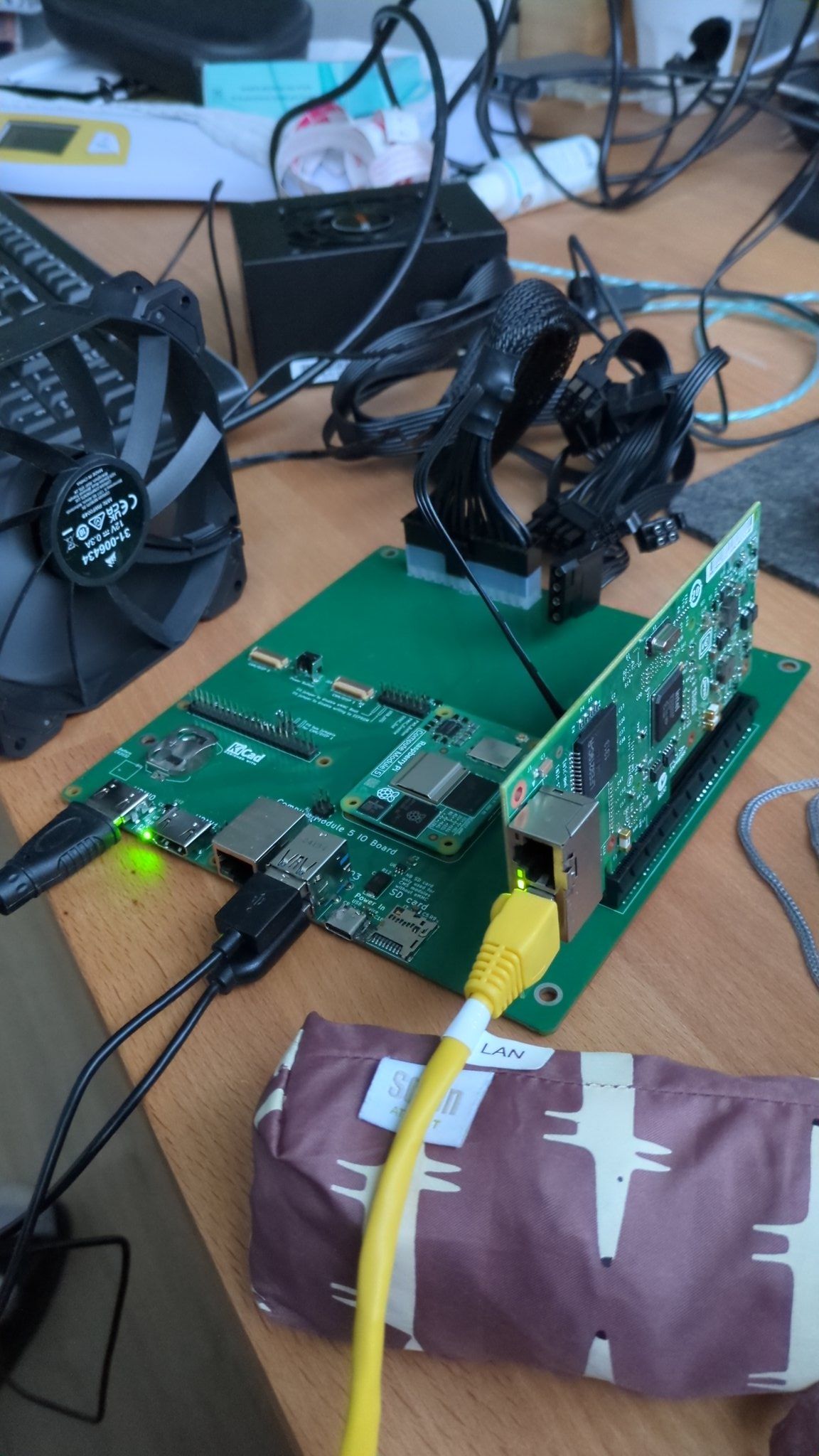
Haaaaallo! We’re in the last week of the campaign and we’ve hit our funding goal!
Last week, I shared how I made an experimental GPU voice assistant setup in Home Assistant. But, to be completely honest, that’s not how I’m currently using my Sentinel Core. As cool as it is to talk to your house, for my particular setup I found I preferred dedicated dashboards and Zigbee buttons over voice prompts in most cases.
My current setup is as a NAS and media server, which I’ll briefly share here.
Step one was, as usual, to browse the Pi PCI database by Jeff Geerling for SATA cards that are reported to work. I ended up buying the Syba/IOCrest ASM1064 PCIe SATA 4-port Controller. Installation was as easy as any PC build: just screw it in, attach drives, and off you go.
The more interesting bit was the Home Assistant setup, which isn’t a typical NAS host with RAID, backup, and network shares. It doesn’t even have very good support for extra drives. You can all-or-nothing "move data disk" and that’s about it. Instead, I opted to select add-ons with support for additional disks.
Samba NAS (or its newer brother) lets you share your new drive as a Windows share. V2 gave me some trouble with the SATA drive, so I stuck to V1.
For the rest of the add-ons I used the alexbelgium/hassio-addons repo which contains a lot of stuff that all supports additional drives:
- Immich to backup photos from my phone with local face detection
- Jellyfin for watching shows and movies
- Transmission for dowloading Ubuntu iso's
- Rclone for backups
I’m especially impressed by Immich, it just feels like magic to be able to search for persons and things in photos entirely locally.
All these Docker containers do take up a lot of disk space on the internal flash, so eventually I plugged in another SATA drive and did move the Home Assistant data disk there. No problem, I can have as many SATA drives as my case, PSU, and PCIe card allow!
Next up, hold onto your seat while we start to actually manufacture this thing!