Project update 4 of 11
New Demo Video, Software Progress, and What’s Inside
by Billy WangHey everyone! Sorry for the quiet period. We’ve been heads down polishing both hardware and software for KVM-GO, and time flew by. As of late December, we’ve reached nearly over $75k from 225 backers, which is amazing. If you can help us push it further, please spread the word!
Thanks so much for your patience and support. And yes, Christmas definitely added to the chaos. 🙂🎄 Now, let’s catch up.
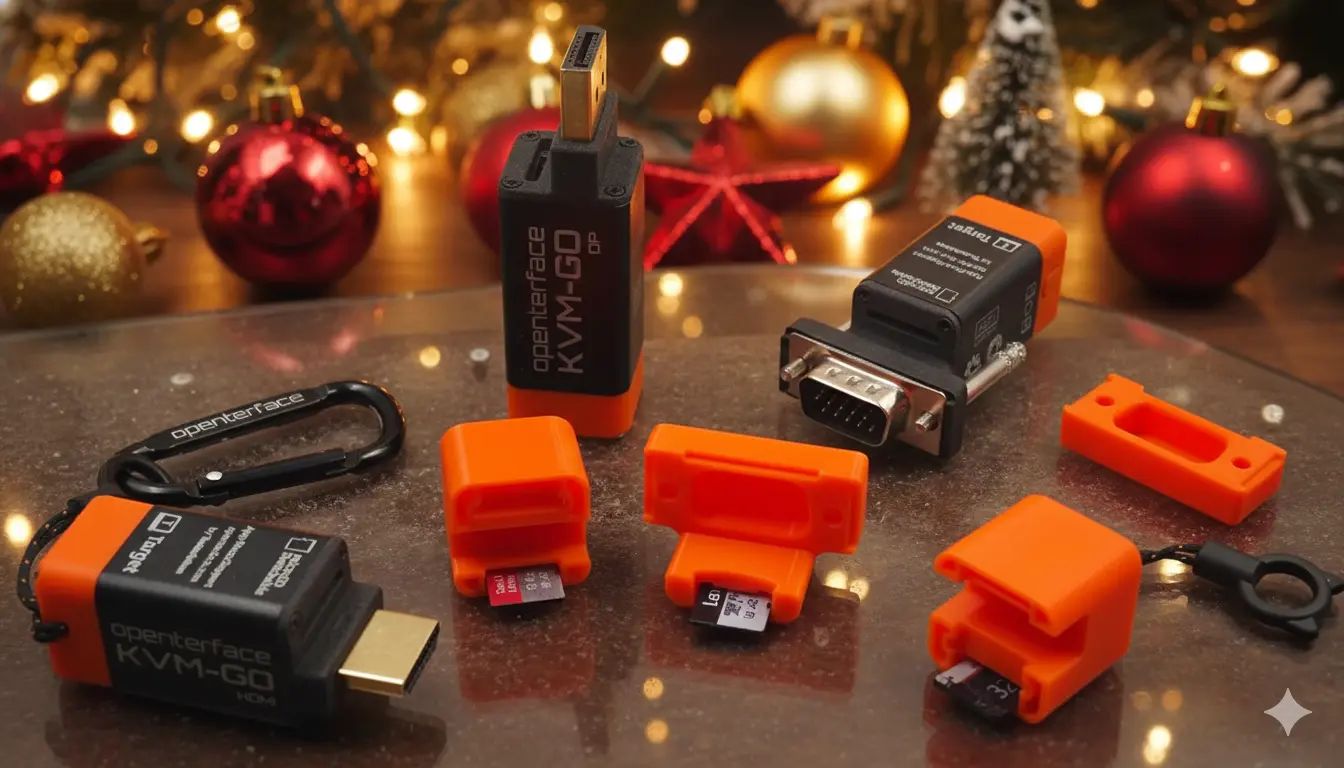
New Demo Video: KVM-GO in Action
We’ve just published a new demo video showing KVM-GO in real-world use. In the video, you’ll see:
- KVM-GO HDMI / DP / VGA versions in action
- What’s included in the box
- How to control different target devices
- How KVM-GO fits into real workflows, from quick access to multi-target setups
If you’re curious about more casual, hands-on testing and real usage, feel free to check out our social media as well. We often share raw testing clips and practical scenarios showing how KVM-GO behaves on real tech frontlines.
Software Progress: One App for Mini-KVM and KVM-GO
On the software side, we’ve made a solid step forward.
Our latest updates allow the same Openterface application to work seamlessly with both Mini-KVM and the KVM-GO series. For users, this means:
- A consistent experience across products
- Less fragmentation if you use more than one Openterface device
We’ve also spent time improving keyboard and mouse performance, with a focus on:
- Lower overall latency
- More stable input handling, including better detection of connection state and signal quality
- Snappier response during fast or continuous interactions
While gaming is not the primary target use case for our KVM solutions, we still care deeply about input responsiveness in real-world scenarios. If you’re interested in the technical details, especially on macOS, we recently published a deep dive here: Openterface Mini-KVM Mouse Speed & Gaming Performance on macOS
Many of the improvements discussed there are now feeding directly into our unified software stack for both Mini-KVM and KVM-GO.
Core Hardware Upgrades in KVM-GO (Compared to Mini-KVM)
For those interested in the internals, here’s a quick comparison of key hardware changes from Mini-KVM to KVM-GO.
Video Pipeline Upgrade
| Aspect | MS2109 (Mini-KVM) | MS2130S (KVM-GO) | Improvement |
|---|---|---|---|
| HDMI input | 4K @ 30Hz | 4K @ 60Hz | 2× input bandwidth |
| USB video output | 1080p @ 30Hz | 4K @ 60Hz | 4× pixel throughput |
| Internal scaling | 4K → 1080p | Native 4K | No forced downscaling |
| Frame latency | Higher (scaler + buffer) | Lower (direct path) | Reduced latency |
USB Keyboard & Mouse Emulation Upgrade
| Aspect | CH340 + CH9329 (Mini-KVM) | CH32V208 (KVM-GO) | Improvement |
|---|---|---|---|
| Chip count | 2 chips | Single MCU | Simpler system |
| USB handling | USB–Serial bridge | Native USB device | Lower latency |
| HID generation | Fixed-function | Firmware-defined | Full control |
| Data path | USB → UART → HID | USB → HID | One hop removed |
| BIOS compatibility | Mixed | Excellent | More reliable |
Advanced Features in Active Development
Several advanced features are planned and actively under development for the finalized KVM-GO firmware. A quick preview:
- Custom EDID support for solving display compatibility issues
- Script-based control for automation and advanced workflows
We’ll share more details as these features mature.
Open-Source Commitment (As Always)
Yes, KVM-GO will remain fully open-source.
Once the hardware design is finalized for mass production, we will apply for OSHWA (Open Source Hardware Association) certification.
All hardware design files and STL models will be published here: https://github.com/TechxArtisanStudio/Openterface_KVM-GO_Hardware
Transparency and community collaboration remain core to what we do.
Final Days of the Campaign: A Friendly Reminder
We’re now in the final days of the crowdfunding campaign.
Crowdfunding is the best chance to get KVM-GO at the lowest price. Once the campaign ends and we move to post-crowdfunding orders, the price will go up.
If you’ve been on the fence, now is the time.
Support the campaign and secure your unit on Crowd Supply: https://www.crowdsupply.com/techxartisan/openterface-kvm-go
Thank you again for your patience, trust, and support. More updates are coming soon, and we’ll try not to go quiet again. Warm holiday wishes from all of us!
Openterface Team | TechxArtisan