Project update 4 of 7
Compatible Software
by KrakenRF IncThis time out, we want to provide some updates on software that has been tested to work with the Discovery Drive and provide more information about the side-pod add-on as well as answer a few more questions.
Tested Software
We have tested Discovery Drive for compatibility with multiple software programs.
For serial connections, if the program supports a rotator with the EasyCom I/II protocol, then Discovery Drive will automatically be compatible. For network connections, if any program supports the hamlib rotctl NET protocol, then Discovery Drive is also automatically compatible. Almost all programs support at least one of these options, which means that Discovery Drive is compatible with almost all existing rotator software. Below is a table of commonly used rotator software that we have tested with the Discovery Drive and its compatibility.
| Tested Software | USB-Serial | TCP Network |
|---|---|---|
| Hamlib | Yes | Yes |
| SatDump | Yes via rotctl bridge | Yes |
| Gpredict | Yes via rotctl bridge | Yes |
| SatPC32 | Yes (Use SAEBRTrackBox) | No |
| PST Rotator | Yes | Yes |
| Radio-Eyes | Yes via PST Rotator bridge | Yes via PST Rotator bridge |
| Orbitron | Yes via PST Rotator myDDE bridge | Yes via PST Rotator myDDE bridge |
| HamRadioDeluxe | Yes | No |
We have also updated our Wiki with some information on how to connect Discovery Drive to these ham radio rotator programs.
More on the Upcoming Side-Pods
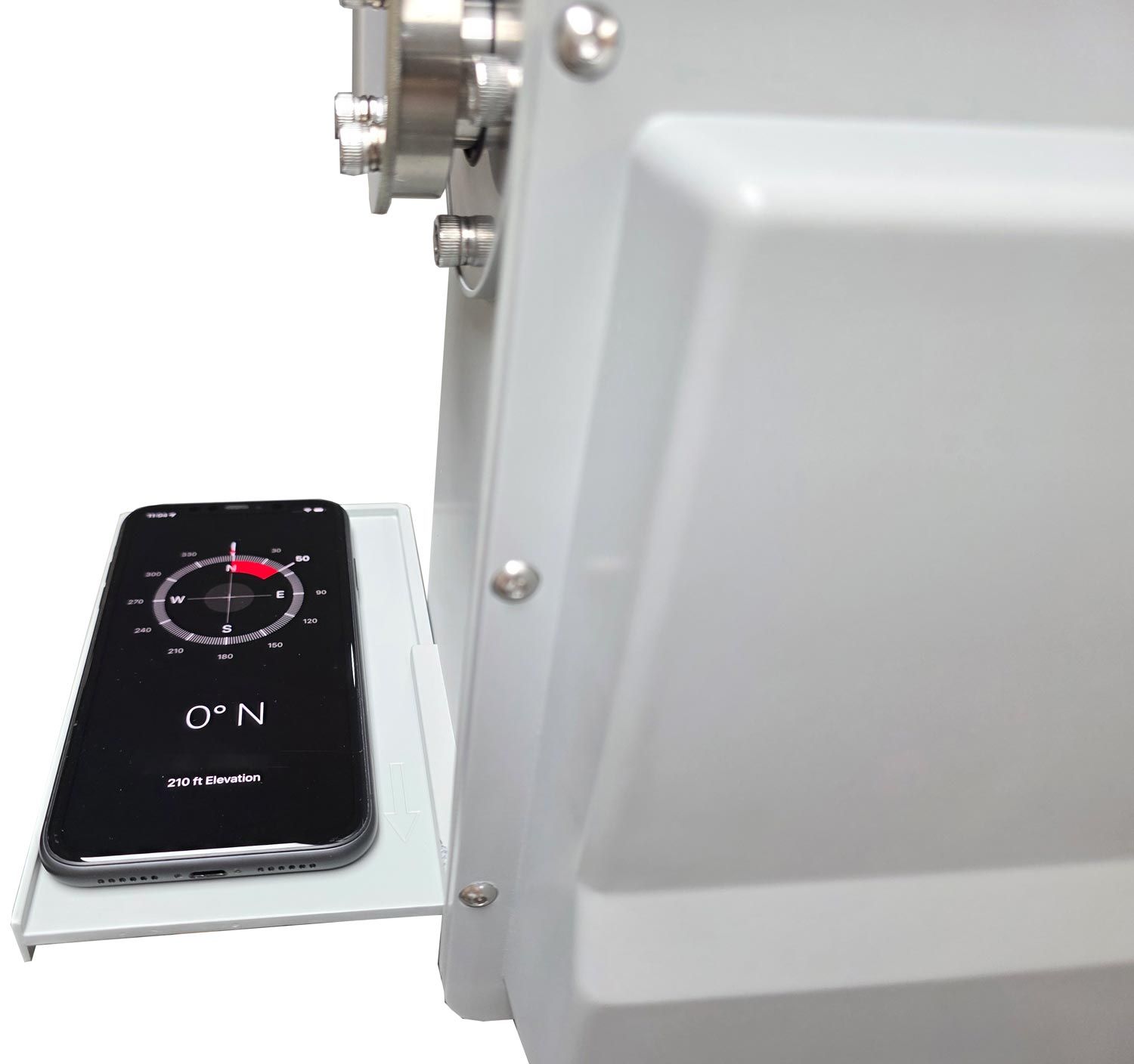
On each side of Discovery Drive are two rails. One purpose of these rails is to hold the temporary compass shelf, which can be used as a hard edge to align a compass or a calibrated mobile phone for perfect North alignment. (Remember, if you are using an iPhone, activate True north mode on your compass as Apple has set True north off by default!).
The second purpose is to hold one of our optional side-pods, which we will plan to release for sale shortly after the campaign ends. These side-pods are designed to hold a Raspberry Pi 4/5, an RTL-SDR or Airspy dongle, a 12 V PoE splitter (we recommend the RAK 12 V PoE splitter), and a 12 V->5 V DC-DC converter to power the Raspberry Pi. The enclosure also has a built-in fan for active cooling of the electronics inside which can get too hot otherwise.
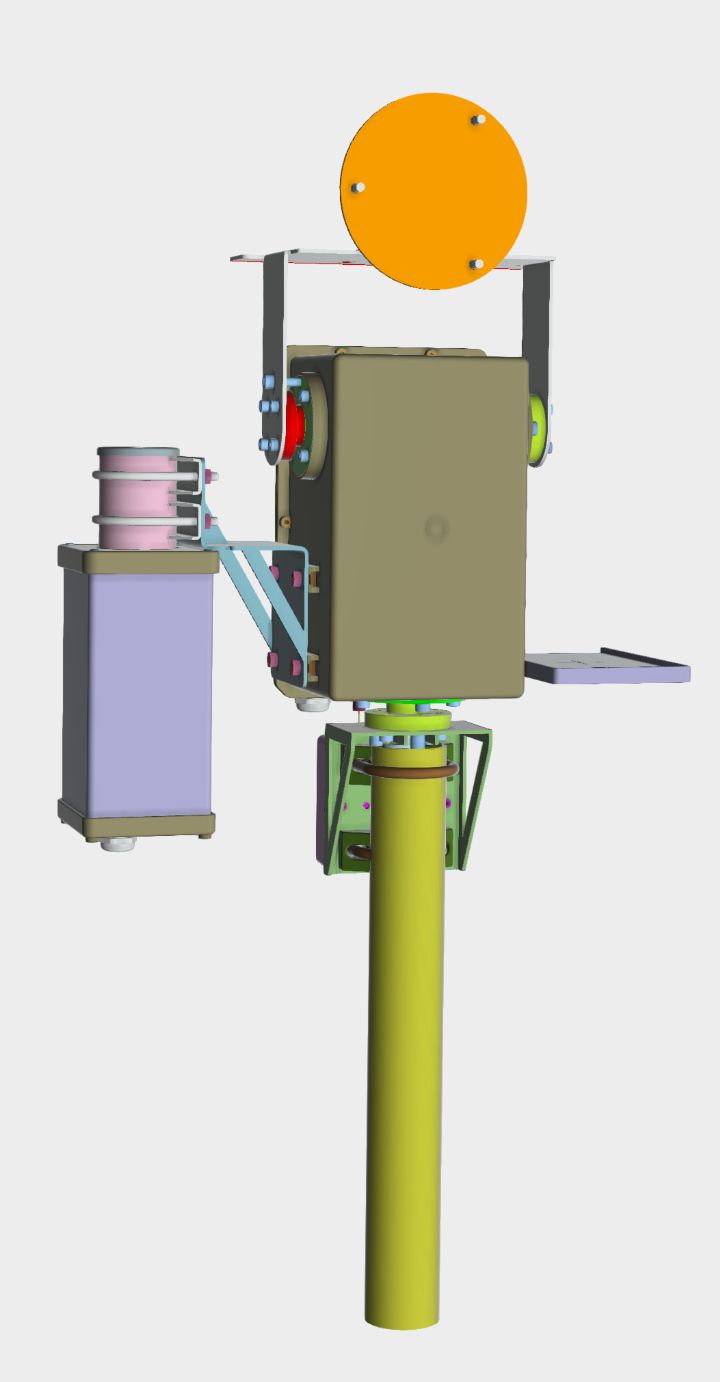
This option allows you to run PoE+ power to the side-pod, which powers the Raspberry Pi 5, RTL-SDR dongle, and rotator. The Raspberry Pi can then be connected to the Discovery Drive via serial, or the Raspberry Pi 5 can be set as an access point that the Discovery Drive can connect to over WiFi. (Sufficient amounts of WiFi signal will leak through the metal enclosure for a good connection).
The Raspberry 5 itself can then be used to run SatDump, or any other software you prefer. We have tested SatDump on the Pi 5, and found that the Pi 5 is more than powerful enough for decoding weather satellites.
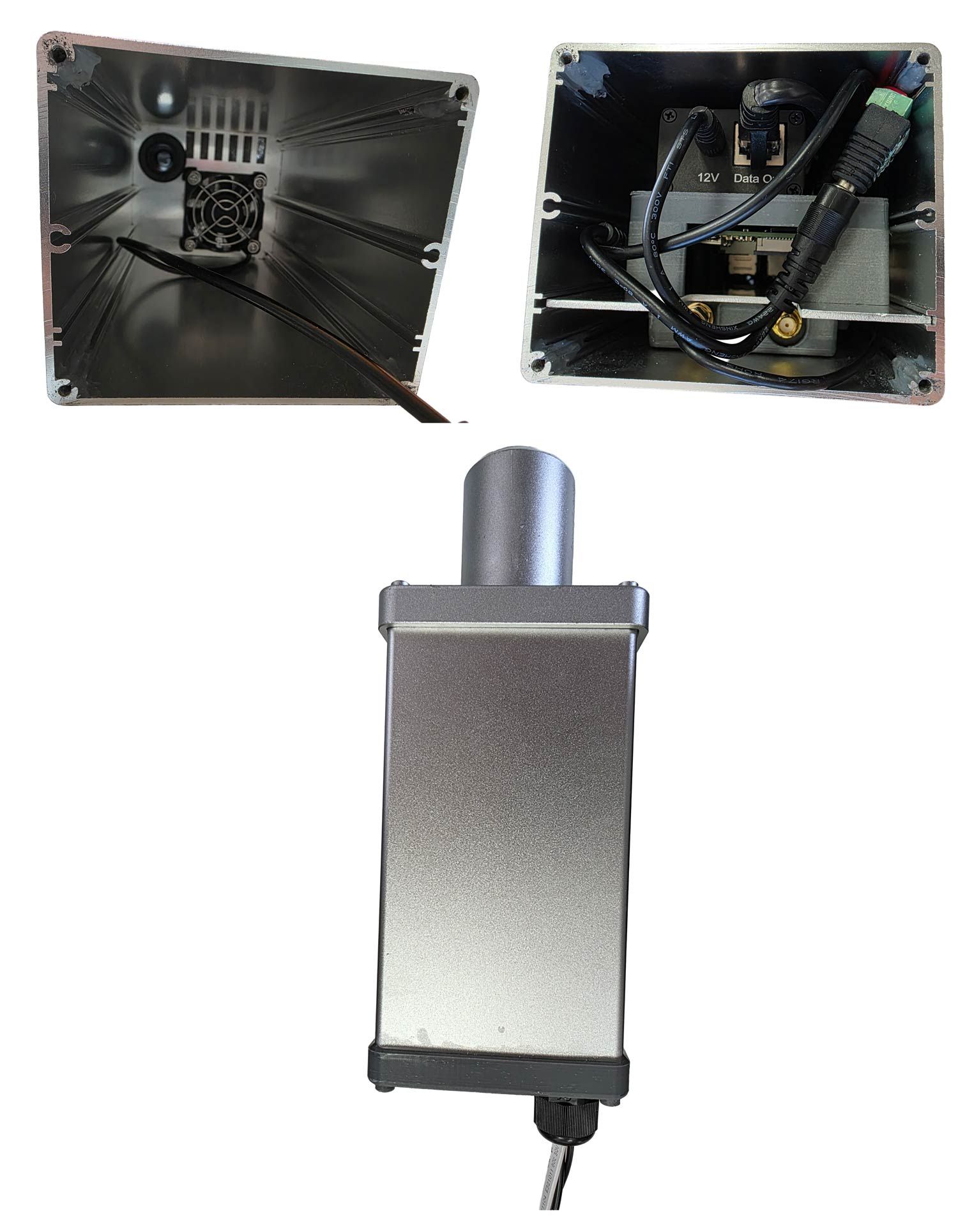
Overall, this gives you a tidy package, where the only wire you need to run from indoors out to the Discovery Drive is a single, PoE Ethernet cable. Below is an image of a prototype, with everything inside.
More FAQs
We have received a few more questions from interested persons:
Do the motors or Wi-FI produce interference at 1420 MHz?
DC motors will always produce a little RF noise. Fortunately the brushless DC motors we use are much quieter than brushed motors used by other systems. We tested the noise at 1420 MHz by placing a very sensitive Discovery Dish H-Line feed right next to the motors and yes, about 3 dB of noise spurs were visible on the spectrum when the motors run. However, having the feed right next to the motors is an extreme test and unrealistic.
In a normal setup, when the feed is mounted on the Discovery Dish, farther from the motors, and with the Dish shielding the feed from the Drive, no motor noise was visible in the spectrum.
The Wi-FI produces no noise at 1420 MHz.
What power supply should I use?
Discovery Drive comes with a suitable 12 V power supply that plugs into the wall. Any other 12 V supply should also work. For light loads, like a Discovery Dish or Wi-Fi dish, a ~10 W supply will be sufficient. For heavier loads, or if you expect high wind loading, you can use a 25 W+ supply.
Is Radio-Eyes supported?
Yes, it can be via the PST Rotator bridge. PST Rotator supports Discovery Drive, and in Radio-Eyes you can select the PST rotator telescope interface.