Project update 4 of 5
Our Open-Source Philosophy, Part Two - Anatomy of a Pixlpal App
by GatStevAs a continuation of our previous update, we’ll be taking a deeper look at what Pixlpal does and how it does it. In this update, we’ll explore the structure and anatomy of a typical Pixlpal app, showing just how straightforward it is to build one and how much design control you truly have.
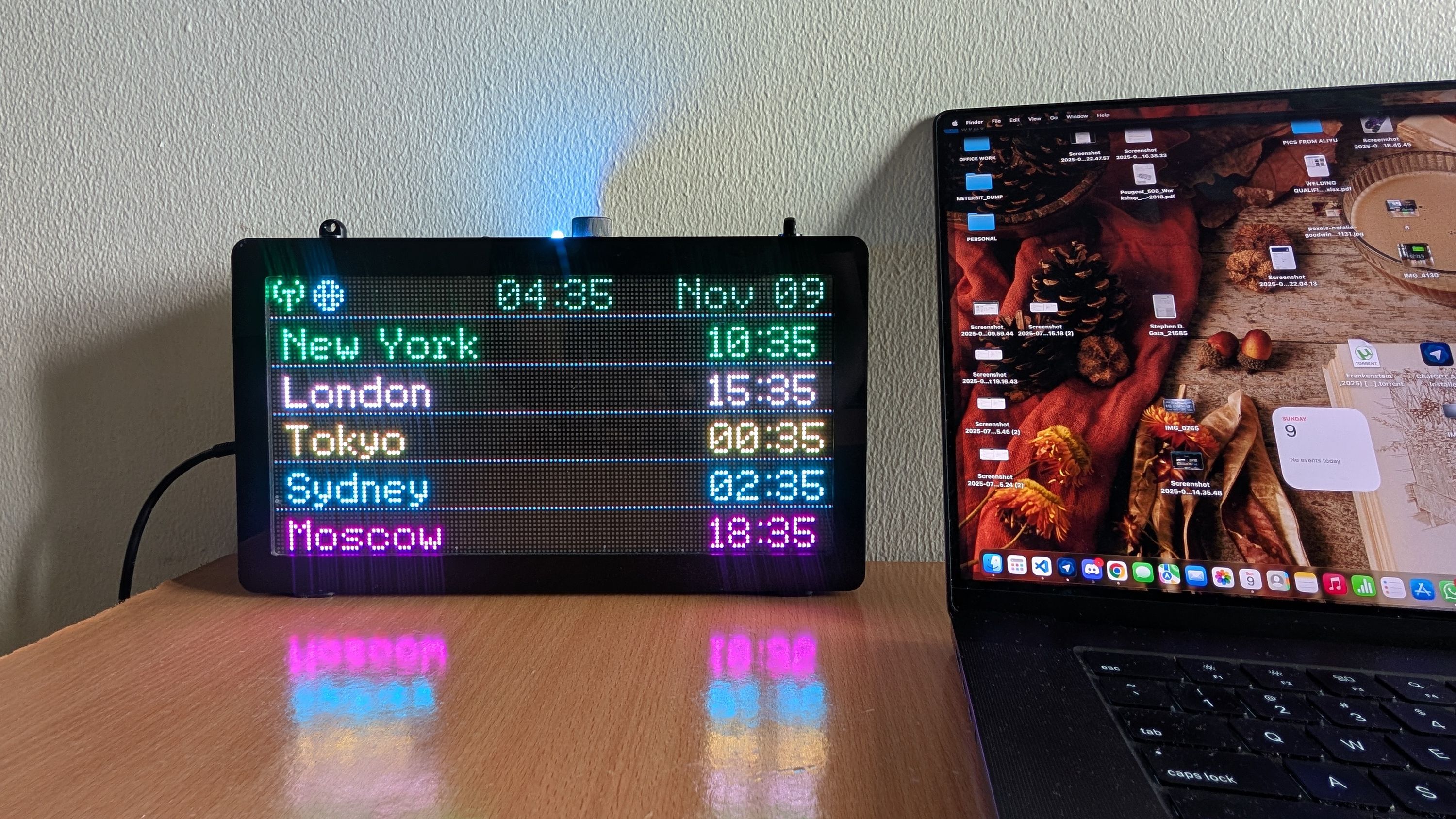
To make this practical and easy to follow, we’ll use the World Clock App as a case study, breaking down its structure to demonstrate how Pixlpal apps are organized, rendered, and customized.
The Structure of an App
As discussed in our previous update, a Pixlpal app is implemented as a FreeRTOS task that can be started, suspended (paused), or deleted (stopped) as needed. Built using the Espressif ESP-IDF framework, each app is written in C/C++, giving developers full access to low-level hardware control and system resources.
For seamless integration into the Pixlpal firmware, every app is structured as an independent ESP-IDF component. This modular approach keeps development organized, scalable, and easy to maintain.
Because apps run locally on Pixlpal, without reliance on external servers, developers retain maximum control over performance, behavior, and user experience.
A typical Pixlpal app follows a well-defined execution structure to ensure consistency, and modularity. The sequence is generally as follows:
- Configure input handlers: Set up callback functions for the encoder and button controls to handle user interaction.
- Register BLE command handlers: Register functions responsible for receiving and parsing JSON-formatted commands from the mobile app via BLE.
- Initialize the app and required services: Initialize the application along with any supporting services it depends on (for example, a calendar service, NTP service, or network service).
- Set initial runtime variables: Define the app’s default state, such as initial world cities and time settings.
- Declare display objects: Create and position text and graphics objects by specifying their exact screen coordinates.
- Load persisted settings: Retrieve previously saved configuration data from non-volatile storage (if available) to restore user preferences.
- Enter the main execution loop: Run inside a while loop (as long as the app remains active), continuously rendering text and graphics while responding to user input and external events.
To illustrate this more clearly, we’ll walk through these steps using the Pixlpal World Clock App as a practical example.
Pixlpal World Clock App
The Pixlpal World Clock App displays the current time across multiple cities and time zones at a glance, eliminating the need to manually calculate differences or check your phone. Presented clearly on Pixlpal’s always-on 128×64 RGB LED display, the app provides instant global time awareness in a simple, ambient format.
For personal use, it helps you stay connected with family abroad, plan travel, and follow international events. For business, it supports seamless scheduling with global teams, tracking market hours, and coordinating operations across regions. With Pixlpal’s local-first design, global time visibility becomes effortless and always within view.
Code Walkthrough: App Setup and Execution
Below is a simplified sequence demonstrating how the World Clock app is structured in code.
- Configure rotary encoder (EC11) input handlers
thisApp->mtb_App_Set_EC11_Cb_Fns(change_City_Button, mtb_Brightness_Control);
- Register BLE command handlers
mtb_App_BleComm_Parser_Sv->mtb_Register_Ble_Comm_ServiceFns(setWorldClockCities, setWorldClockColors, setWorldClockMode, requestWorldClkNTP_Time);
- Initialize the app and required services
mtb_App_Init(thisApp, mtb_Status_Bar_Calendar_Sv);
- Set initial runtime variables
worldClockCities = (WorldClock_Data_t){
    {"New York", "London", "Tokyo", "Sydney", "Moscow"},
    {
    "EST5EDT,M3.2.0/2,M11.1.0/2",
    "GMT0BST,M3.5.0/1,M10.5.0/2",
    "JST-9",
    "AEST-10AEDT,M10.1.0/2,M4.1.0/3",
    "MSK-3"
    },
    "United States of America",
    { GREEN, WHITE, YELLOW, CYAN, MAGENTA },
    0
    };
- Declare display objects
Mtb_FixedText_t dispSingleCityTime(70, 21, Terminal10x17, GREEN);
    Mtb_CentreText_t dispSingleCityName(65, 57, Terminal8x12, WHITE);

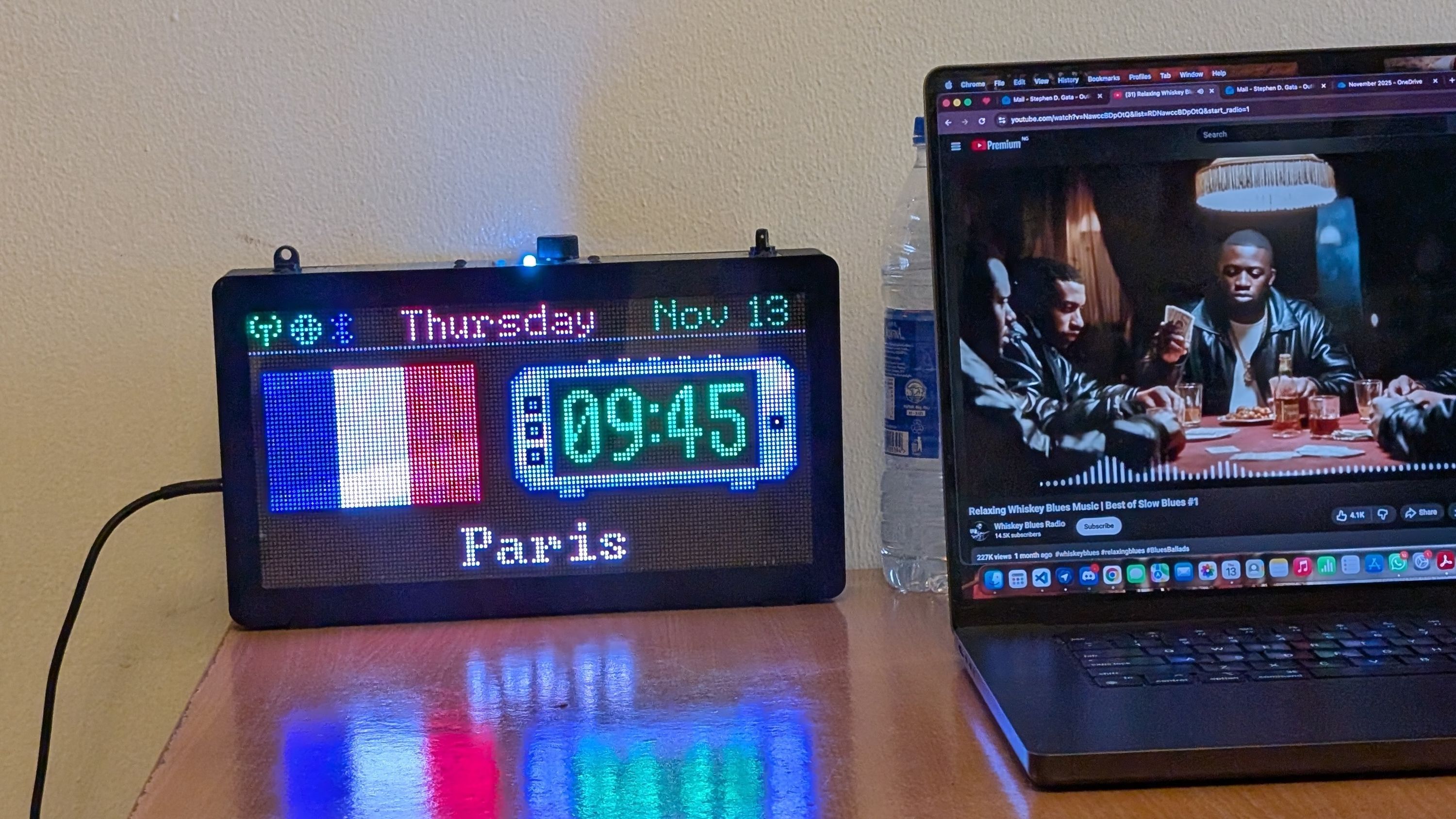
    Mtb_OnlineImage_t worldCountryFlag{
      "https://raw.githubusercontent.com/woble/flags/refs/heads/master/SVG/3x2/ng.svg",
      3,
      14,
      2
    };
- Load persisted settings
mtb_Read_Nvs_Struct("worldClockNv", &worldClockCities, sizeof(WorldClock_Data_t));
- Enter the main execution loop
while (MTB_APP_IS_ACTIVE == pdTRUE){
    .... Fetch data from internet or ram and process same data
    .... Draw text elements
    .... Draw image graphics elements
    .... wait for a short time, e.g., 5 seconds
}
- Free resources and exit
mtb_Delete_This_App(thisApp);
You can explore the full implementation of the World Clock application in the project’s github repo.
Resources for Developing a Pixlpal Application
Do you have an application in mind that you’d like to see running on the Pixlpal? Or would you like to tweak an already existing app that is part of the Pixlpal firmware? If so, here are some common resources you can use if you wish to study existing apps or work on new ones.
- Pixlpal Github Repository: contains the project's firmware source files, example apps, and helper functions to improve, extend or build new apps.
- Arduino Official Library Collection: consists of a collection of independent Arduino libraries contributed by the community
- Espressif Component Registry: houses a collection of official and community-contributed components for the esp32 ecosystem.
- API Service Providers: platforms that offer structured access to data or functionality through well-documented interfaces (APIs), allowing developers to integrate external services into their applications, e.g., API-FOOTBALL, RapidAPI, etc.
Closing Thoughts: Building with Transparency
Whether you’re an experienced embedded developer or someone just beginning to explore the ESP32 ecosystem, the architecture is intentionally modular, approachable, and built for experimentation.
As always, we invite you to continue the conversation in our Discord community, where backers and developers can share ideas, ask technical questions, and explore new application possibilities. You can also reach us directly via the Ask a question button on our campaign page if you have feedback or suggestions.
If you believe in the vision behind Pixlpal — a local-first, open-source AIoT display built for builders — please continue to share the project with your networks, maker communities, and forums. Your support plays a meaningful role in expanding the ecosystem and attracting contributors who can help shape its future.
Thank you for being part of this journey. We look forward to sharing more updates as we move closer to the conclusion of the Pixlpal funding campaign and transition into manufacturing.