Project update 2 of 2
Quick Start Guide - From Unboxing to Boot-Up
by Guangyi YuanHello everyone, this is our first weekly update, and we apologize for the long wait! In it, we provide a quick-start guide that covers everything from unboxing and inspection to successfully booting the system and observing serial console logs.
1. Unboxing Inspection: Verify Kit Completeness
Upon receiving the P047 kit, please check each item against the list below:
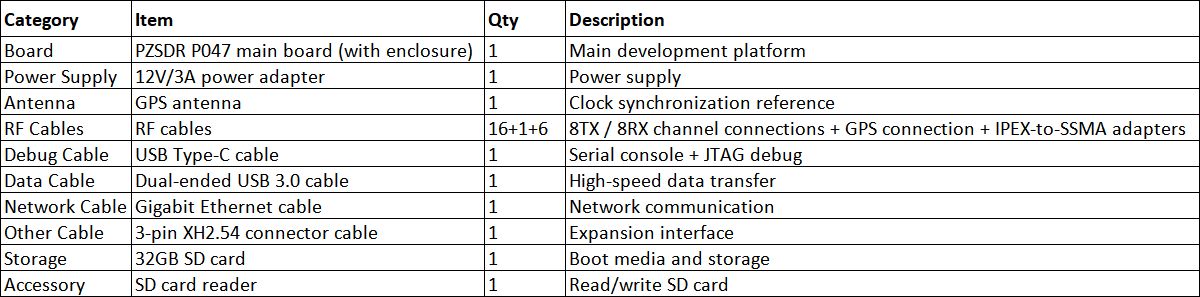
Special Note: The 16 RF cables are for connecting 8 transmit and 8 receive channels to the external RF front-end; 1 RF cable is for GPS; and 6 RF cables are IPEX-to-SSMA adapters. Please keep these critical accessories safe to avoid loss.
2. Hardware & Software Setup: Two Steps to Power-On and Boot
2.1 Set Boot Mode
The P047 supports four boot modes: JTAG, QSPI Flash, eMMC, and SD card. We will switch to SD card boot mode. The onboard DIP switch M2/M1/M0 mapping is as follows:
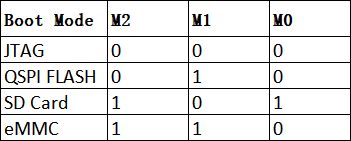
Operation Tip: The switch position toward the "ON" side typically indicates "1"; please refer to the silkscreen markings on the board for confirmation. The PCB has clear silkscreen labels for reference.
2.2 Connect Cables and Power-On Test
- Connect the 12V power adapter.
- Press the power switch on the board.
- Copy the test firmware (provided after purchase) to the 32GB SD card. After copying is complete, insert the SD card into the corresponding slot on the development board, and observe the log output via the serial port to operate the corresponding interfaces.
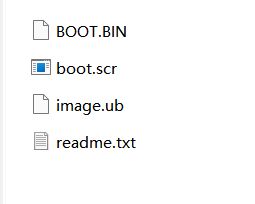
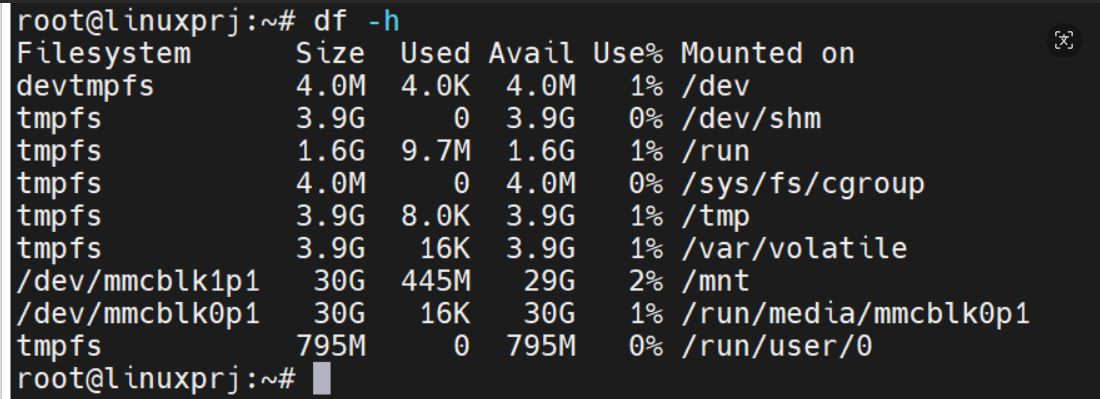
- Connect the USB Type-C cable between the board and your computer, then open a serial terminal tool to view the output log, as shown below:
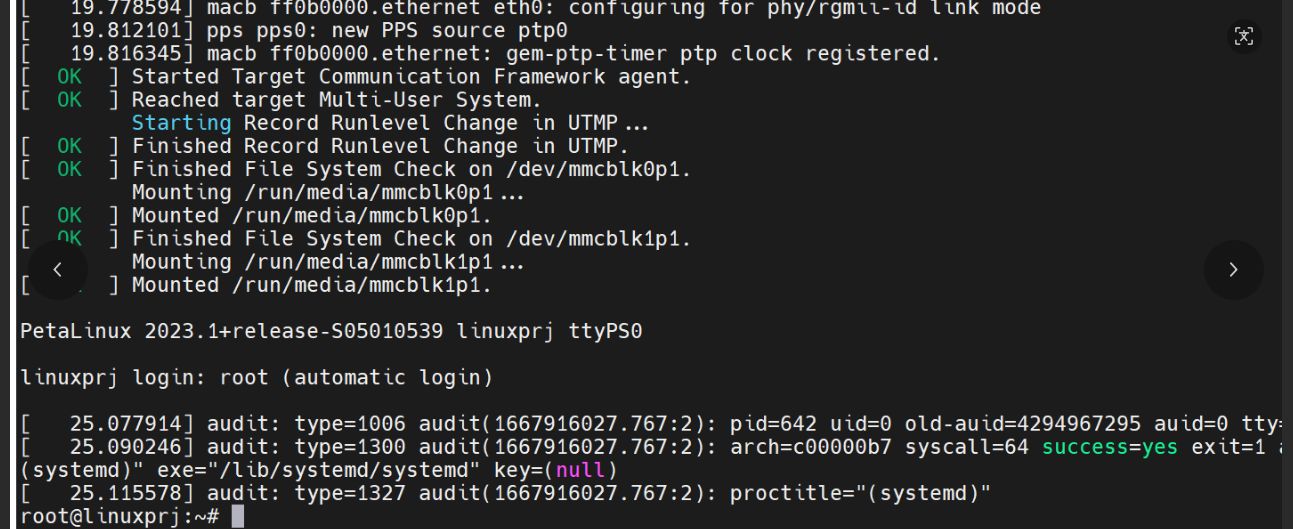
After entering the operating system in the serial terminal, you can enter commands for testing. If everything runs normally, it indicates that both serial reception and transmission are working.
- (Optional) Connect the Ethernet cable to the Gigabit Ethernet port (for network communication).
- (Optional) Connect the GPS antenna (for high-precision clock synchronization).
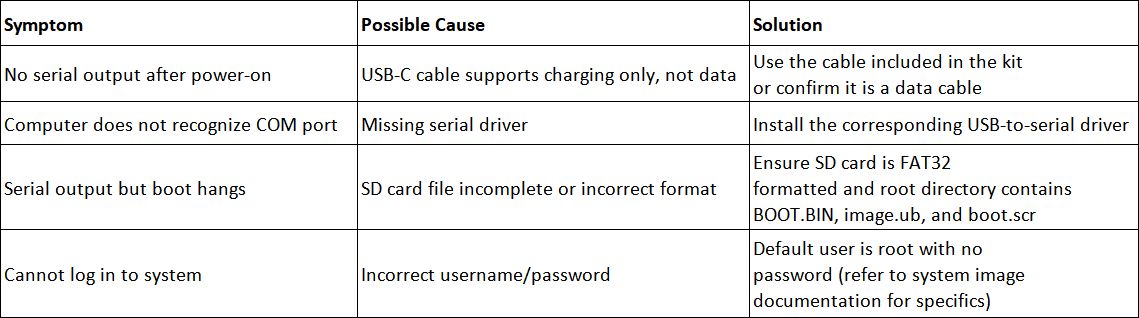
3. Common Issue Troubleshooting
4. Next Steps
With the steps above, your P047 has been successfully booted and the serial console communication is working. Next, you can:
- Download FPGA logic via the JTAG interface.
- Perform remote SSH login over Ethernet.
- Run ADC/DAC synchronous sampling tests.
- Conduct BPSK/QPSK modulation verification on the PYNQ platform.