Hi everyone,
Thanks for sticking with KeyMod while we’re still in pre-launch. Your subscriptions and early interest genuinely help us keep going.
We’ve been putting a lot of work into the companion app, now called KeyCmd (the KeyMod name stays with the hardware we’re building). It’s the same install as before if you already had the app: settings, profiles, and paired devices will carry over.
KeyCmd 0.19 is the build we want you on today. Below we’ll discuss the app actually does, which mode to open for what, and how to get value out of it on a real machine.
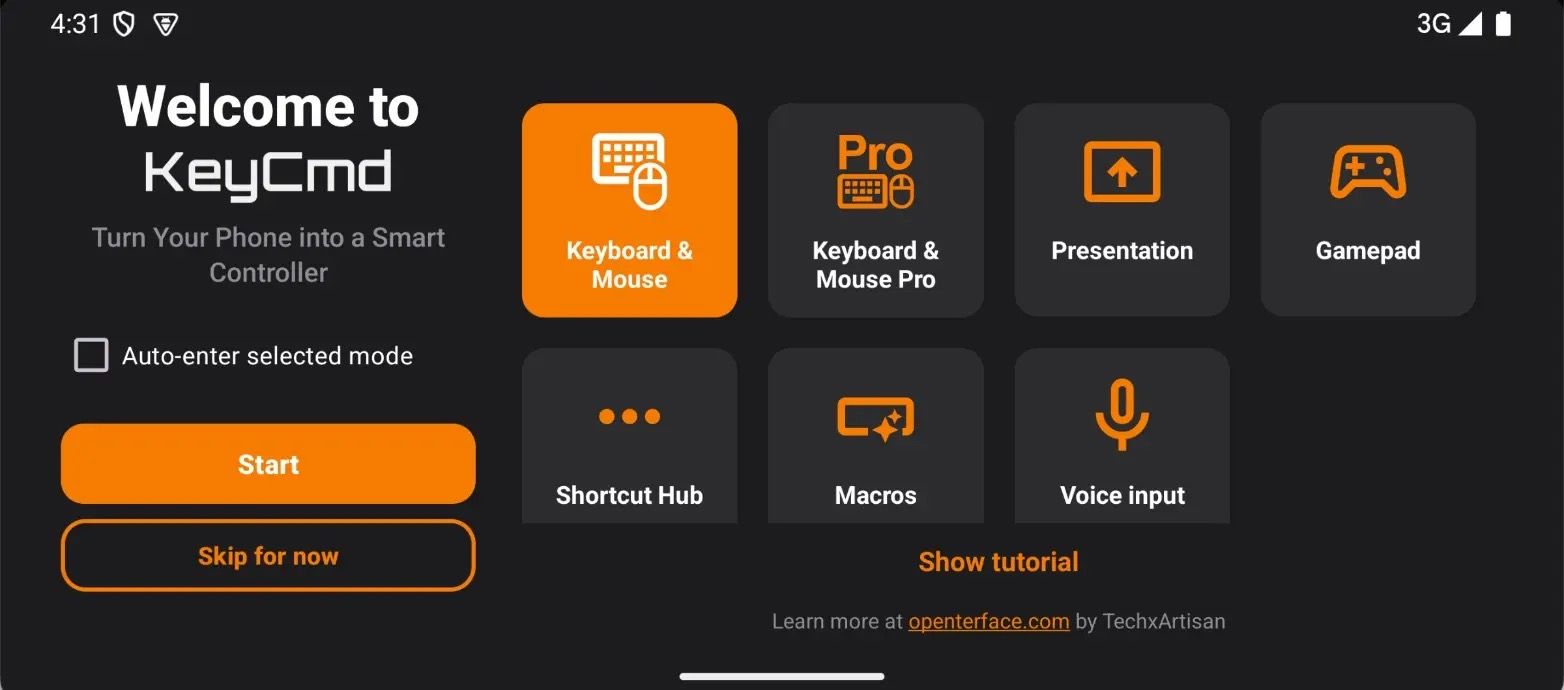
What Is KeyCmd For?
KeyCmd turns your phone into a USB or Bluetooth keyboard and mouse (and more) for the machine you’re controlling: a headless PC, a kiosk, a smart TV, a dev box without a desk keyboard, or a host behind KVM-Go or Mini-KVM if you already use Openterface gear.
Typical uses we see in beta:
- Quick typing and pointing when there is a screen but no comfortable keyboard nearby
- Remote coding or server work from a tablet or phone (full keyboard, numpad, touchpad in one app)
- Custom gamepad layouts for retro games and emulators
- Shortcut strips for repeated admin or ops tasks (KM Pro + Shortcut Hub)
You pick a "mode" for the job. You can switch modes from the drawer without reconnecting.
Modes and How to Use Them
Keyboard & Mouse (Basic)
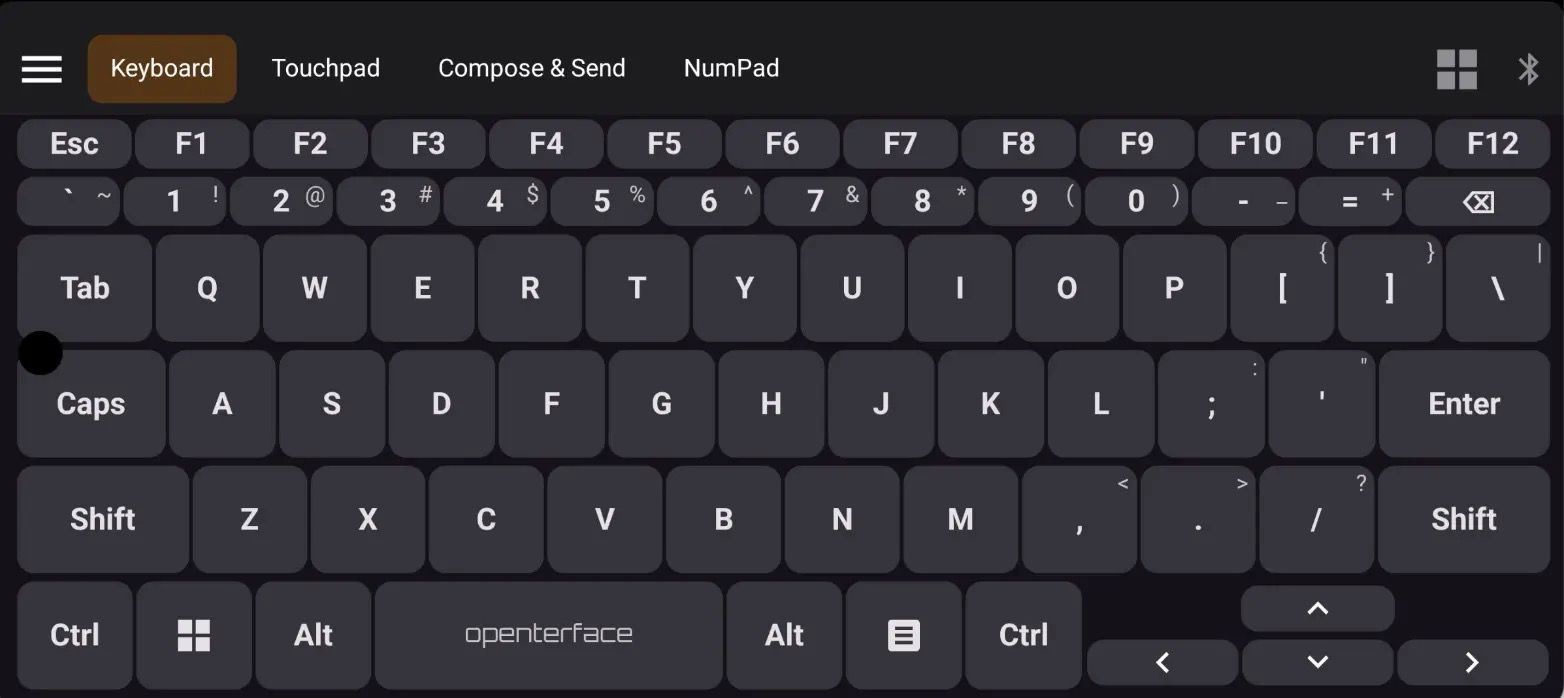
Open this when you want a simple, full-screen keyboard with nothing else getting in the way.
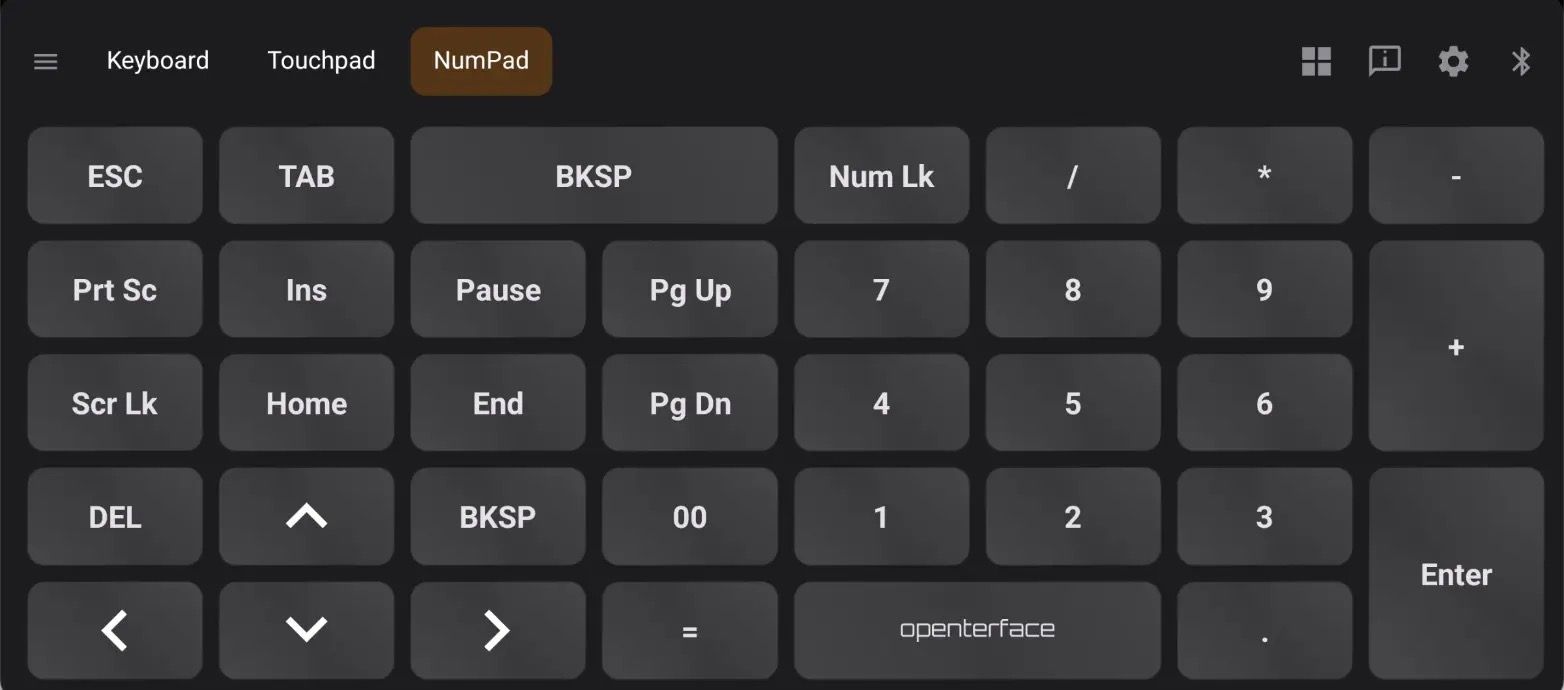
Good for: typing passwords, short commands, numpad entry, or mouse control with a large touchpad.
How to use it:
- Open "KM Basic" from the navigation drawer.
- Use the on-screen keyboard, numpad (portrait or landscape), or touchpad tab as needed.
- In "Settings", choose "sticky modifiers" (tap to latch Shift/Ctrl) or "chord-style" modifiers if you prefer hold-and-tap combos.
Why it helps: more screen space for keys, less chrome, faster when you only need input and not shortcuts.
Keyboard & Mouse (Pro)
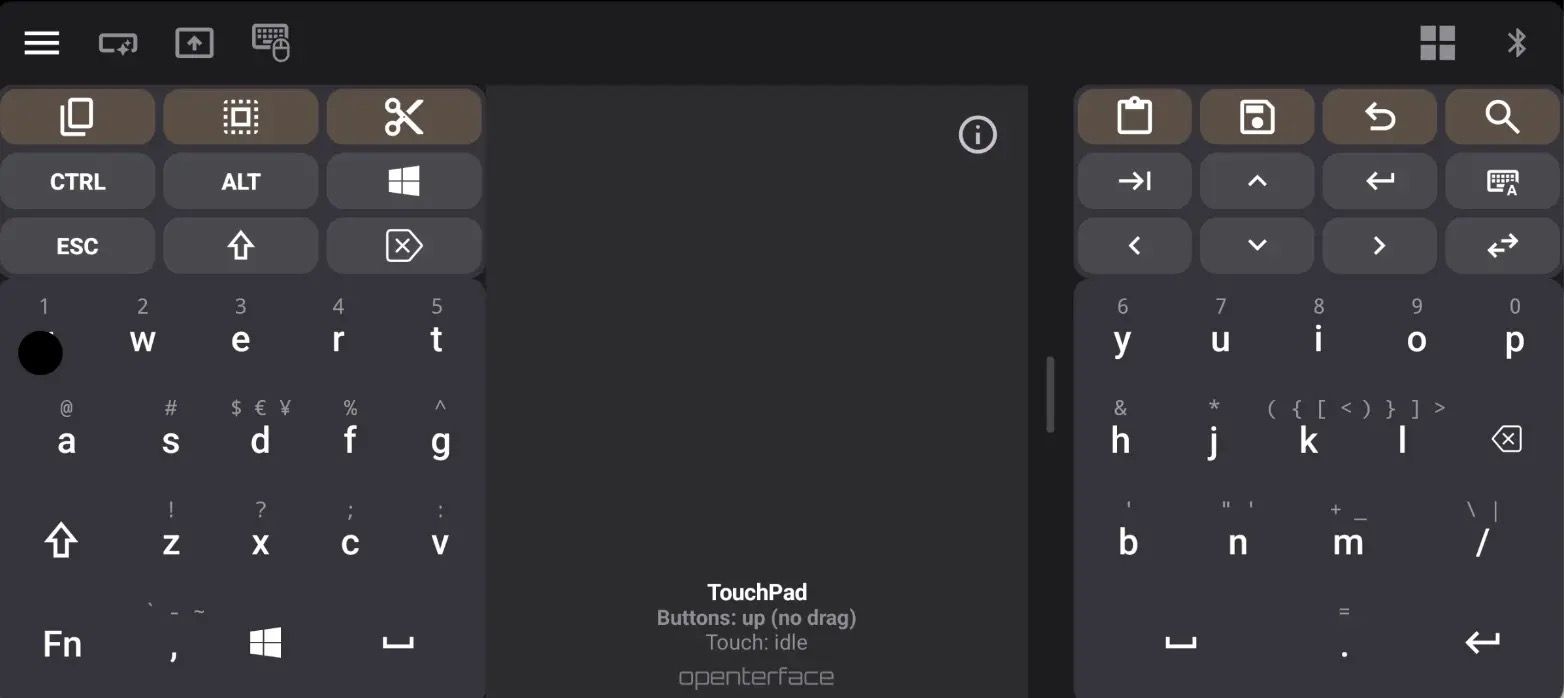
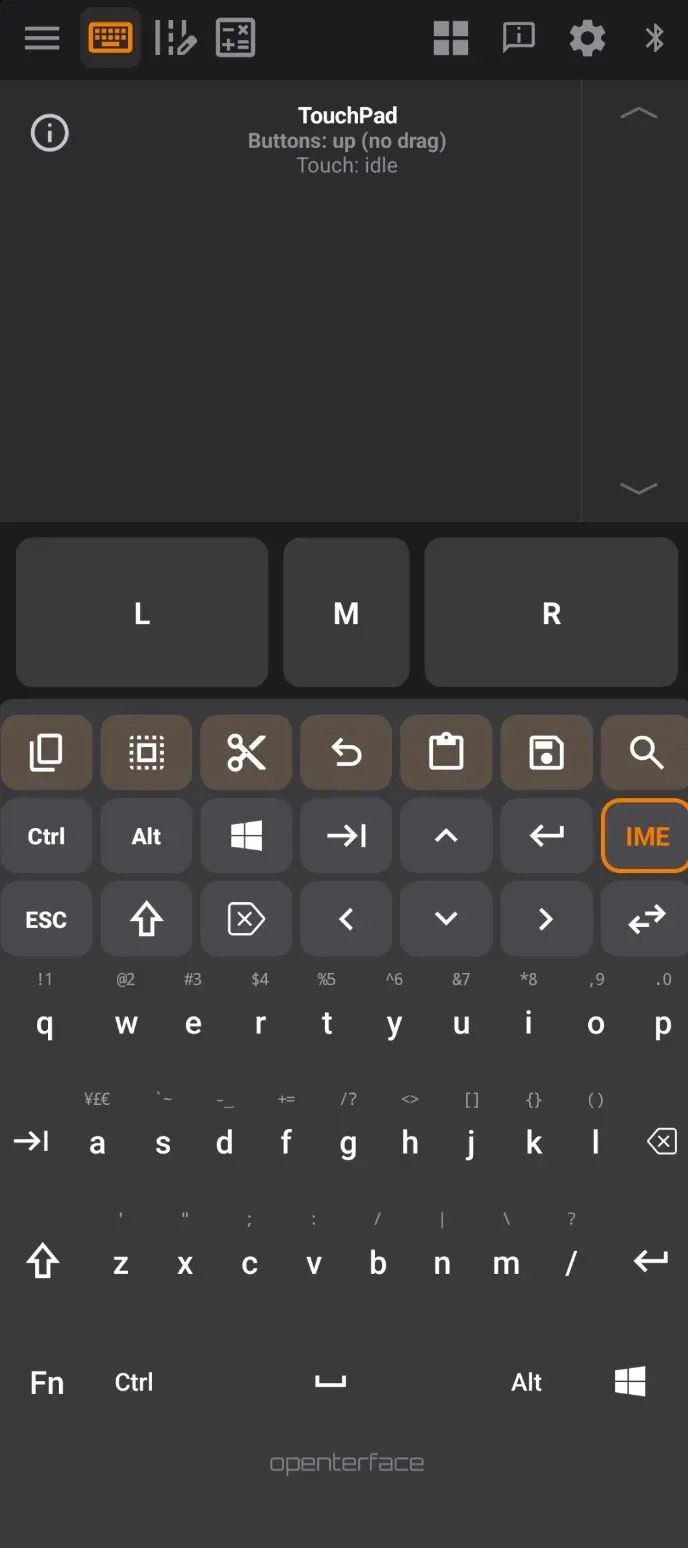
Open this for daily control work: split keyboards, IME, Shortcut Hub strips, and the Compose editor.
Good for: longer typing sessions, macros and shortcuts, sending blocks of text or scripts to the host.
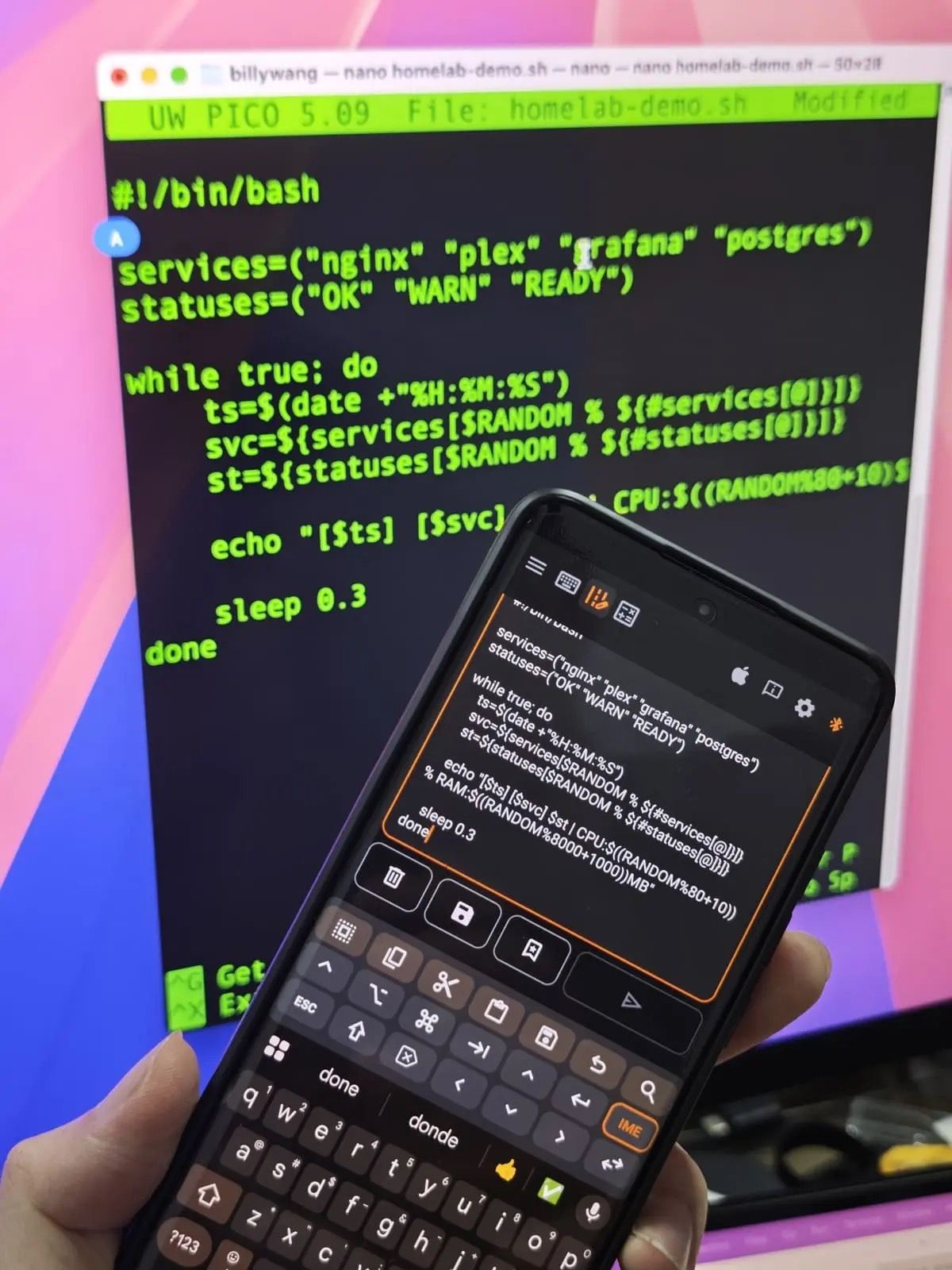
Compose is worth trying if you paste commands or scripts often: write on your phone, review, then send as keystrokes to the host. This short video demo shows the flow end-to-end:
How to use it:
- Open "KM Pro" from the navigation drawer.
- Use the keyboard and touchpad as in Basic, plus "Shortcut Hub" categories along the top for one-tap actions you set up in profiles.
- Open Compose to draft longer text on your phone, review it, then "send" it as HID keystrokes. Long sends show a progress bar. If your text has non-ASCII characters, the app warns you before sending, so you can check host compatibility (helpful on macOS in particular).
Why it helps: one place for typing, pointing, shortcuts, and paste-like workflows without a real keyboard on the target.
Gamepad
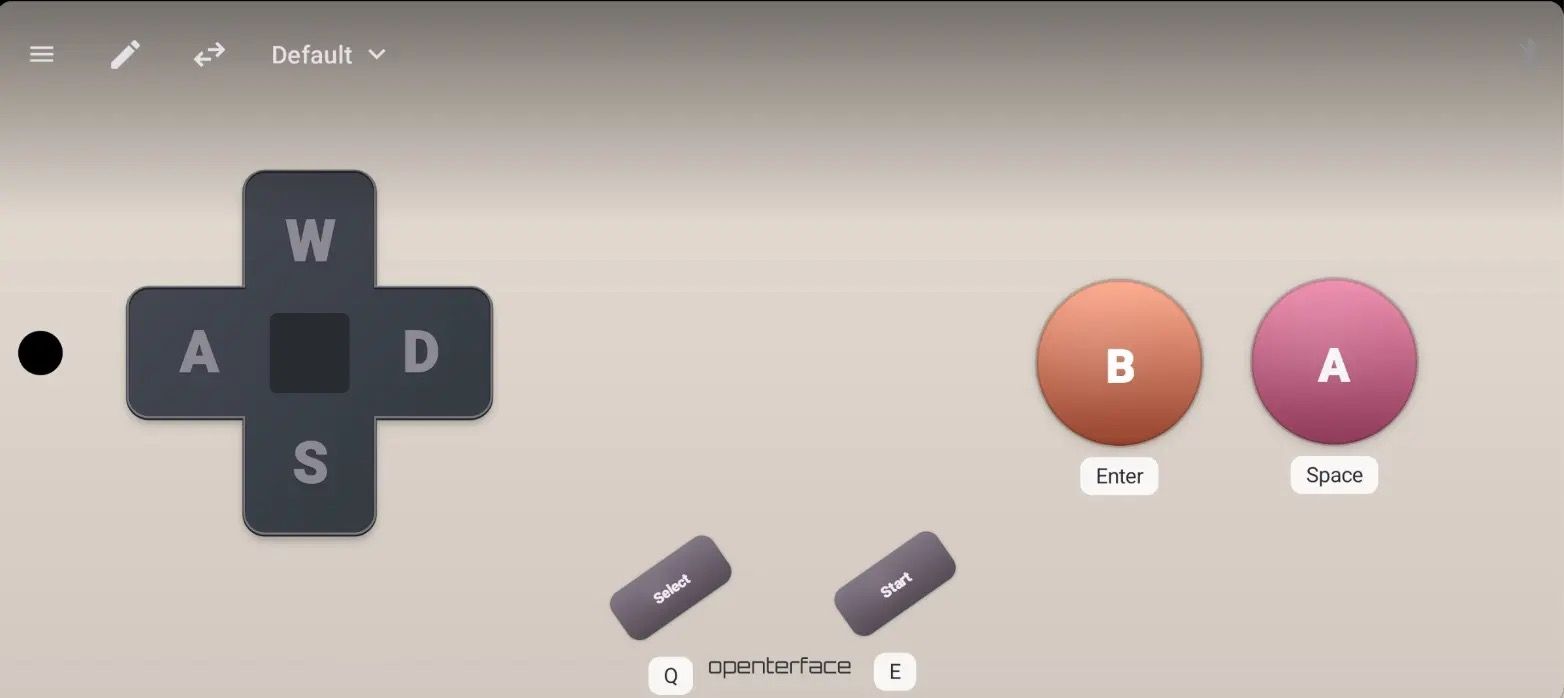
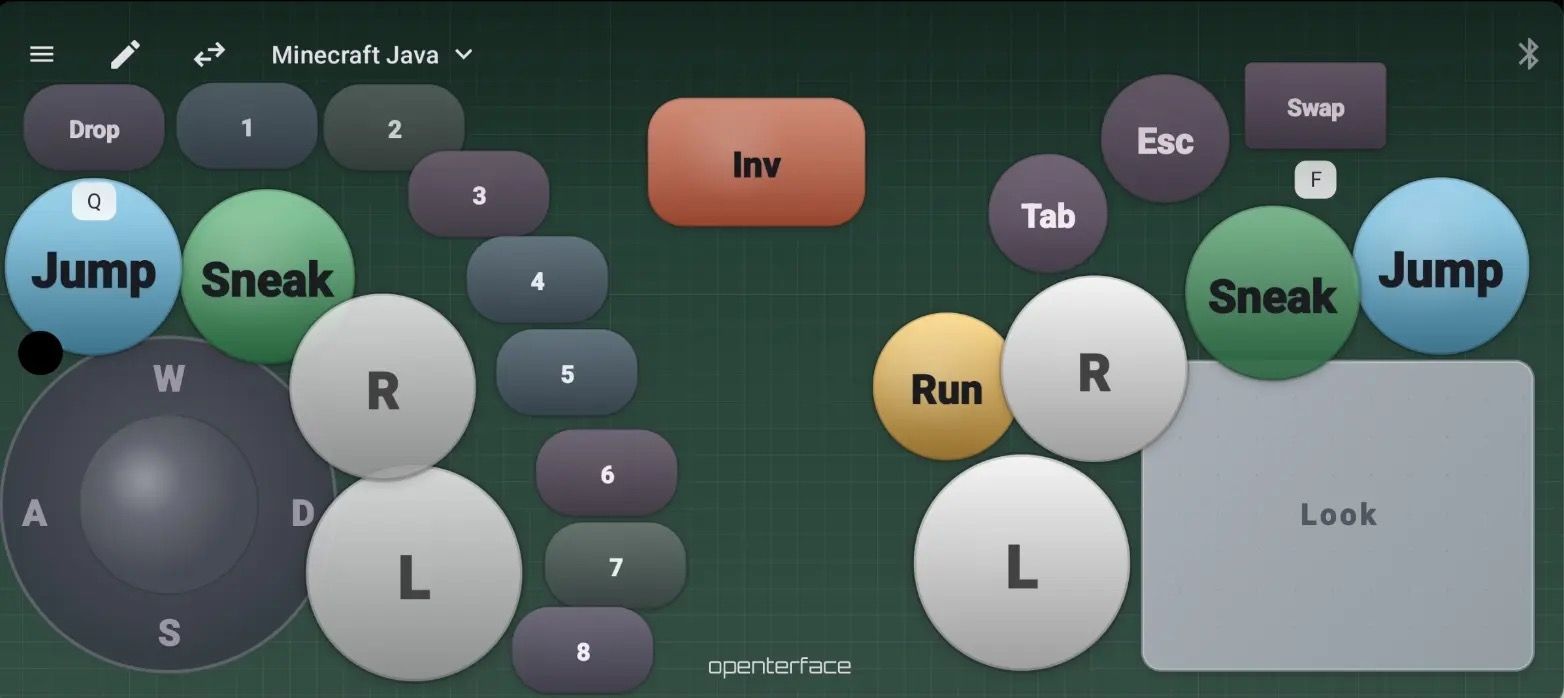
Open this when you want a virtual controller layout on screen, tuned for games or any app that expects a gamepad.
Good for: emulators, casual games, or a compact control surface with joysticks and buttons.
How to use it:
- Switch to "Gamepad" mode.
- Tap "Preset" in the toolbar to cycle saved layouts, long-press "Preset" to open the full list, import/export, or add modules (joysticks, buttons, touchpads).
- Start from the bundled "emu-6" preset and edit from there. You can add multiple touchpads and extra joystick modules in one layout.
Why it helps: you are not stuck with one factory layout; you can save layouts per game or per device, and you can share presets with others.
Shortcut Hub
This is the home for profiles and shortcuts in KM Pro: categories, detail panels, and the shortcuts you assign to strips.
Good for: repeatable ops (open terminal, paste a command chain, toggle settings on the host).
How to use it:
- From KM Pro, work in the "Default" profile (or your own)
- Use category tabs and the detail UI to manage shortcuts
- Run the "Shortcut Hub guide tour" (see below) if you are new to how profiles are organized
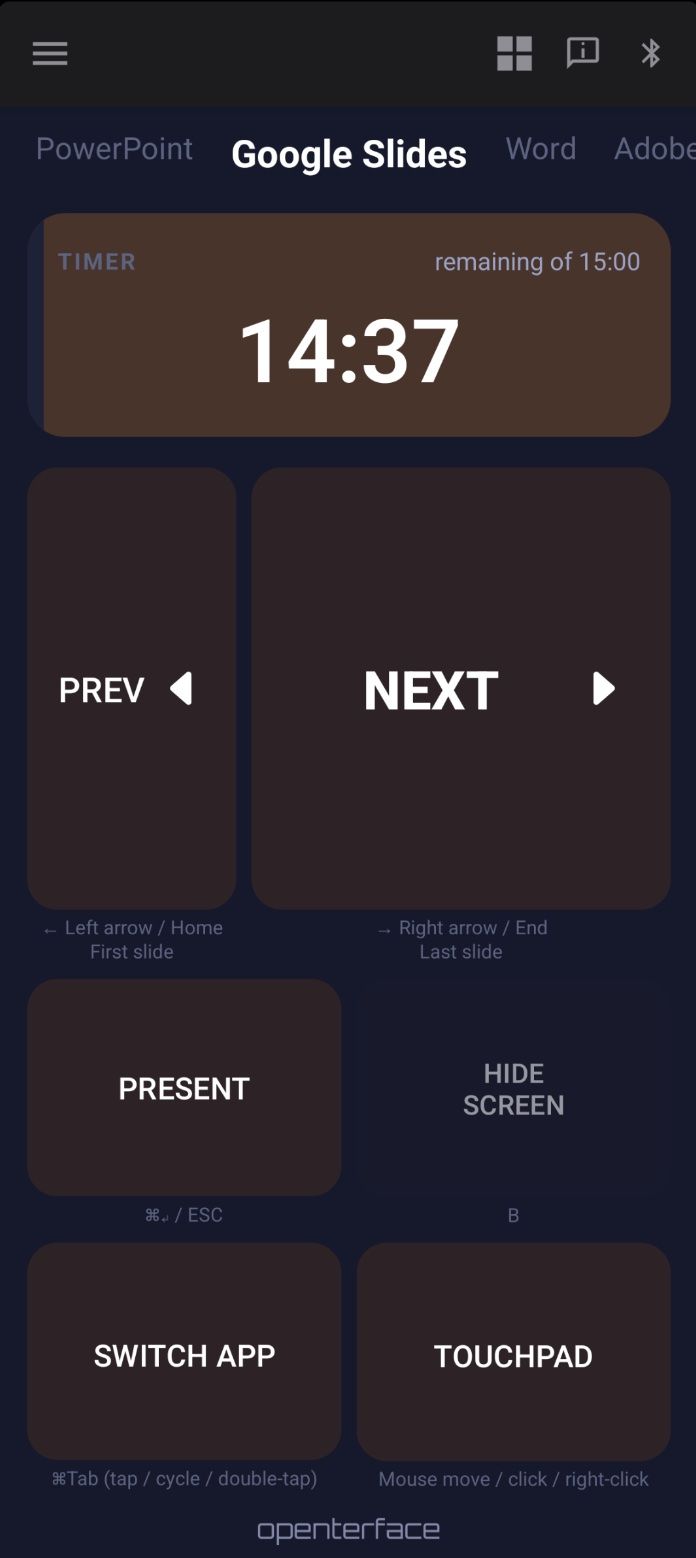
Presentation
A simpler, presenter-style control surface, kept in portrait orientation so buttons do not reposition if you rotate the phone.
Good for: stepping through slides or light presenter controls on the target.
Languages
The app UI is available in 11 languages. Recent additions include: Korean, Italian, Russian, and Brazilian Portuguese.
Open "Settings" → "App language" to switch.
Get KeyCmd 0.19
Download KeyCmd-release-0.19.apk.
Install over your existing app if you already have one. There’s no need to wipe data.
Already using Openterface KVM gear? You can try KeyCmd without KeyMod hardware:
- KVM-Go: Bluetooth or USB
- Mini-KVM: USB
Still beta. Gamepad presets and Compose sends can behave differently depending on the host OS. If something odd happens, reach us on Discord with a screenshot and what you expected.
Source code: Not public yet. We plan to open-source after crowdfunding. Ask on Discord if you need help finding the APK.
A Note on Hardware Versus Software
We are still working through KeyMod the device (connectors, beta units, campaign timing). The app is where a lot of you will spend time first, especially on KVM-Go or Mini-KVM, and we want that experience to be useful before the dongle ships.
If you can spare a few minutes, install 0.19, pick the mode that matches your use case, and tell us what still feels awkward. That feedback goes straight into what we ship at launch.
If This Resonates With You
We’re still polishing both the KeyMod hardware and the KeyCmd app. An official crowdfunding campaign is on the horizon, but we do not have a firm date yet. Making an open hardware and open software project real takes more than our small team: it takes people who try it, stress-test it, and help others discover it.
If you like where this is going, here are practical ways to support us:
- Tell someone who might care (homelab, IT, field tech, retro gaming, anyone who controls headless gear without a full desk setup)
- Share this update where it fits naturally (your blog, forum, social feed, team chat)
- Stay subscribed on Crowd Supply for launch news
- Keep sending feedback on Discord, especially what feels rough. That shapes the product more than cheerleading
We plan to open-source the stack after a successful campaign. Until then, your patience and your honest input matter a lot.
Thanks again for backing KeyMod before launch.
Best regards,
Openterface Team | TechxArtisand