TechxArtisan
Keyboards & Input Devices
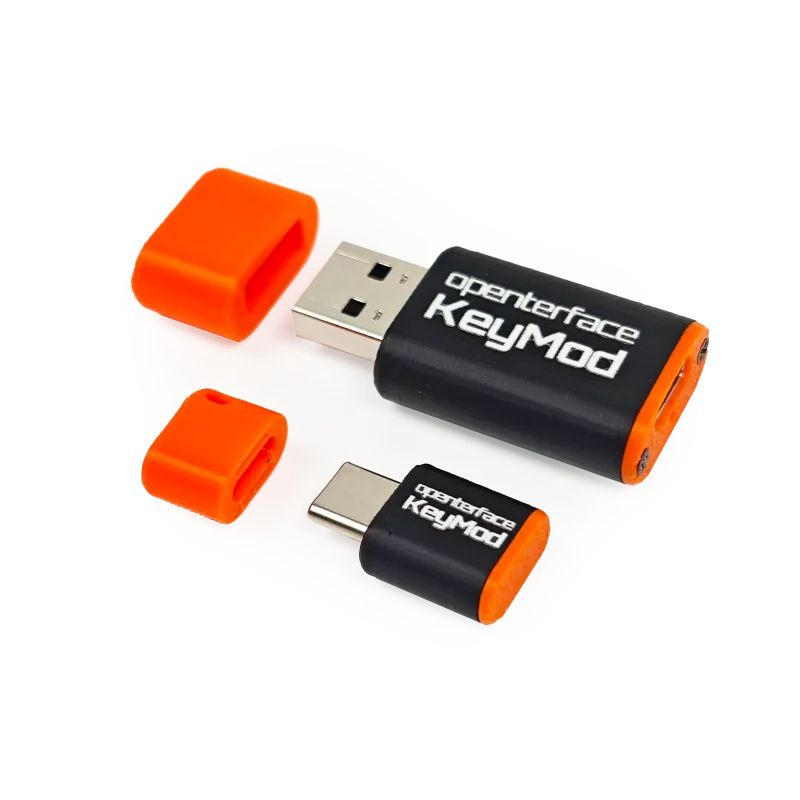
Openterface KeyMod
Pocket USB multi-tool bridge for tech, professionals, and gaming
This project is launching soon.
TechxArtisan
Keyboards & Input Devices
This project is launching soon.
Following the success of Mini-KVM and KVM-GO, we are preparing Openterface KeyMod, a pocket USB multi-tool bridge that turns your phone into a versatile control console for computers and embedded systems.
Whether you’re configuring a server, working with an SBC, maintaining a mini PC, controlling a kiosk, navigating BIOS, presenting slides, playing PC games, or sending complex command sequences, KeyMod provides fast, driver-free local control.
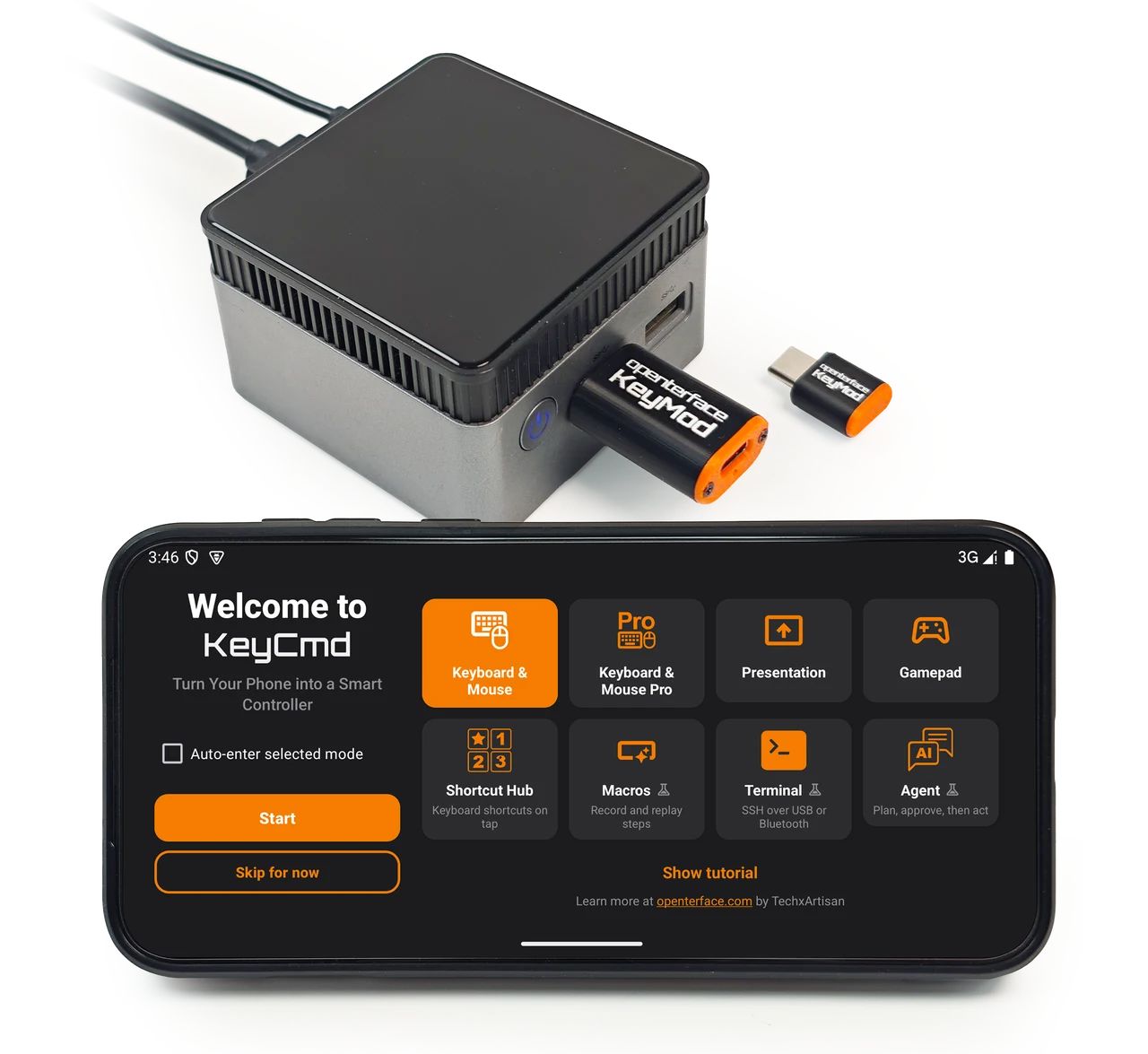
Target → KeyMod → Phone → KeyCmd
KeyMod is the dongle connected to the target machine. KeyCmd is the app running on your phone. Your phone never pairs directly with the computer as a Bluetooth keyboard. Instead, KeyCmd communicates with KeyMod over BLE or wired USB on KeyMod Plus for higher bandwidth, while KeyMod presents the appropriate USB interface to the host, such as HID keyboard & mouse, a serial interface, a USB network adapter, and other functions depending on the active mode.
KeyMod stays on the USB port. KeyCmd mode changes what you can do next from your phone.
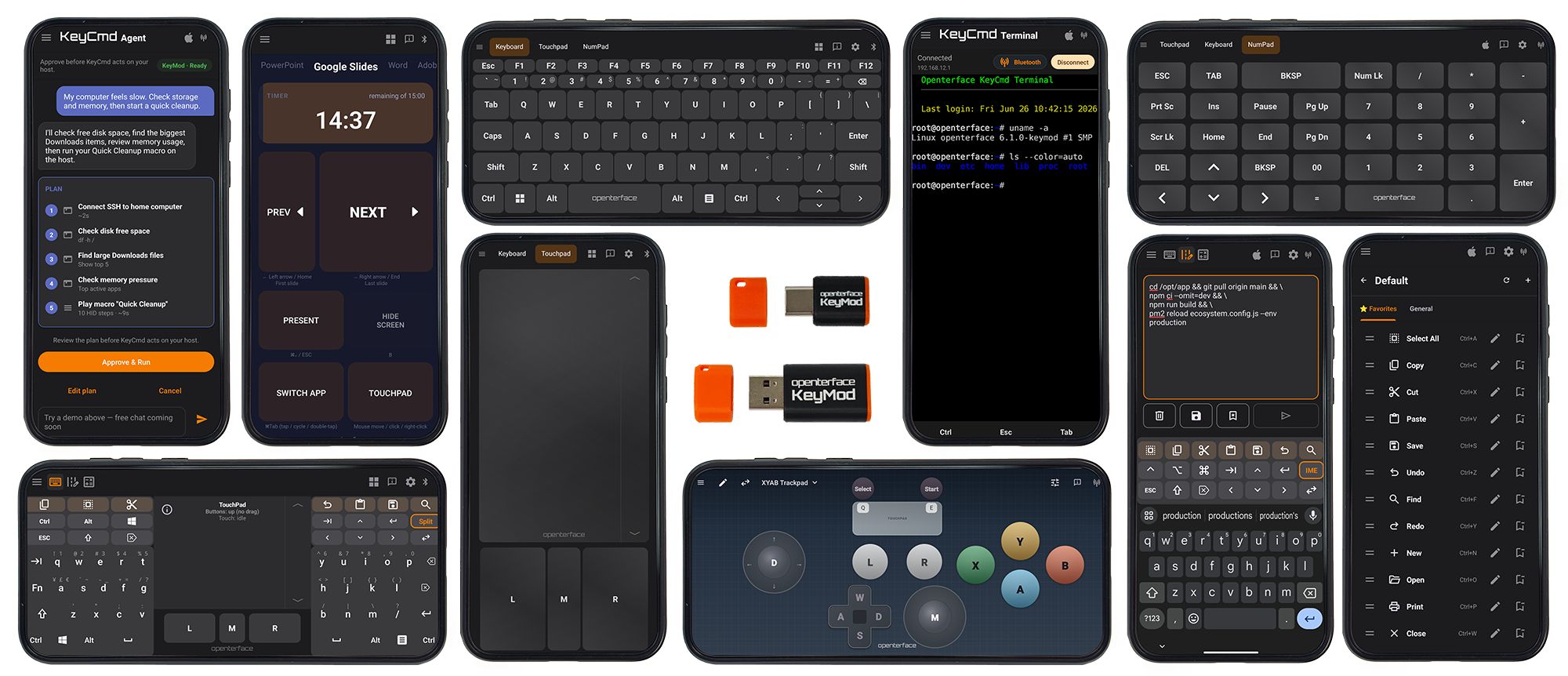
KeyMod is designed to grow beyond keyboard and mouse, becoming a collection of practical tools that streamline your everyday workflows. Future updates are planned to add USB networking, serial tools, MIDI, audio, CLI automation, MCP integration, and more. Tell us what you’d like to see next on the Openterface forum.
Whether you’re standing in front of a rack server, configuring a kiosk, or working with an embedded system, together, KeyMod and KeyCmd turn your phone into a practical operations console.
Write long commands, API keys, configuration files, or license keys comfortably on your phone. Review everything before tapping Send, and KeyMod types it on the target exactly as if it came from a physical keyboard.
Saved Texts let you build your own portable runbook with frequently used commands, credentials, and snippets.
Compose & Send also works where clipboard sharing isn’t available, including BIOS and locked-down systems.
Terminal mode lets you access SSH sessions directly from KeyMod using BLE or the optional wired USB connection on KeyMod Plus, without configuring a separate network connection.
Preview demonstrations are already available, with full hardware integration planned in a future firmware release.
Many devices already have a display. You just need a convenient way to interact with them.
Plug KeyMod into the target, open KeyCmd, and your phone becomes the keyboard, touchpad, terminal, and command console. Whether you’re maintaining servers, managing kiosks, or configuring mini PCs, there’s nothing to install on the target machine.
Gamepad mode gives you preset layouts (import/export JSON) and an editor for sticks, buttons, and touchpads. Presentation mode keeps a portrait remote for stepping through slides. These ship in KeyCmd alongside the keyboard modes. The target still sees standard keyboard and mouse HID, not a native gamepad device.
The best way to understand KeyMod is to watch it being used.
We’ve been sharing development progress, feature previews, and real-world workflows throughout development, while our early beta testers have been putting KeyMod into their own everyday setups. See more demos, community videos, and reviews on our Media page.
Same KeyCmd app. Different dongle for the port on your machine.
USB-C dongle for your pocket.
USB-C male plugs directly into the target. Ultra-compact, Type-C-first, bus-powered. Phone link over BLE. The dongle lives in your bag; your phone is the console when you reach the machine.
Best for modern laptops, mini PCs, kiosks with front Type-C, and everyday carry.
The A-port dongle on the machine.
USB-A male plugs into servers, legacy PCs, and lab gear. Phone link over BLE at launch. USB wired path to your phone adds steadier, higher-bandwidth control for heavier KeyCmd sessions.
Best for data center maintenance, rack-mounted servers, and legacy homelab systems.
Mini for the C port in your pocket. Plus for the A port on the machine. Both ship together on Launch.
Documentation: docs.openterface.com/products/keymod/
Like every Openterface product, KeyMod follows the same open-hardware and open-source philosophy as Mini-KVM and KVM-GO.
Hardware schematics, PCB design files, KeyCmd software and documentation will be published as the project evolves.
Join us on Openterface Forum, Discord or GitHub to help shape future KeyCmd modes and USB bridges.
KeyMod is the hardware. KeyCmd is where new capabilities arrive. As KeyCmd evolves, the same KeyMod hardware can gain new workflows, interfaces, and USB functions through software and firmware updates.
What is KeyMod?
A pocket USB multi-tool bridge. KeyMod plugs into the target. KeyCmd on your phone picks the mode: keyboard, touchpad, Compose & Send, gamepad, presentation, and more.
Is this a Bluetooth keyboard app?
No. KeyMod is USB HID on the target. BLE (or Plus USB) is phone ↔ KeyMod only. Your PC never pairs with your phone over Bluetooth.
KeyMod Mini vs Plus?
Mini: USB-C male, ultra-compact, Type-C-first. Plus: USB-A male for servers and legacy gear, with optional wired USB to your phone for heavier sessions. Same KeyCmd app.
Does it work in BIOS?
Yes. Keyboard and mouse modes work before the operating system loads.
Does KeyMod show the target screen on my phone?
No. Use Mini-KVM or KVM-GO when you need video on your laptop.
Does the target need drivers?
No. KeyMod presents standard USB interfaces supported by the selected mode, so nothing needs to be installed on the target machine.
Does it work without Wi-Fi?
No. KeyCmd communicates directly with KeyMod over BLE or USB.
Why did the story change?
Early prototypes on Pre-launch V1 focused on HID only. CH32 platform work and KeyCmd turned KeyMod into a pocket USB multi-tool bridge with a growing mode library. This page matches openterface.com/keymod.
Subscribe at the top of the page for launch notifications and updates. We only send useful info, and you can unsubscribe anytime.

We're an adventurous team of tech enthusiasts crafting innovative solutions and products that matter. From e-product prototypes to wild tech art, we dabble in 3D modeling, play with LEDs, master PCB design, excel in software, and explore AI, constantly pushing the boundaries of what's possible while aiming to do good. Let's create something extraordinary together!