Project update 3 of 8
Expanding Omnimo nRF52840 with Add-ons
by Ibrahim MezzahJust two weeks after launch, the Omnimo nRF52840 campaign is fully funded! Thank you so much for your amazing support.
One of Omnimo nRF52840’s best features is its compatibility with many add-ons. Here’s a quick guide on how to connect several of them.
Click Boards
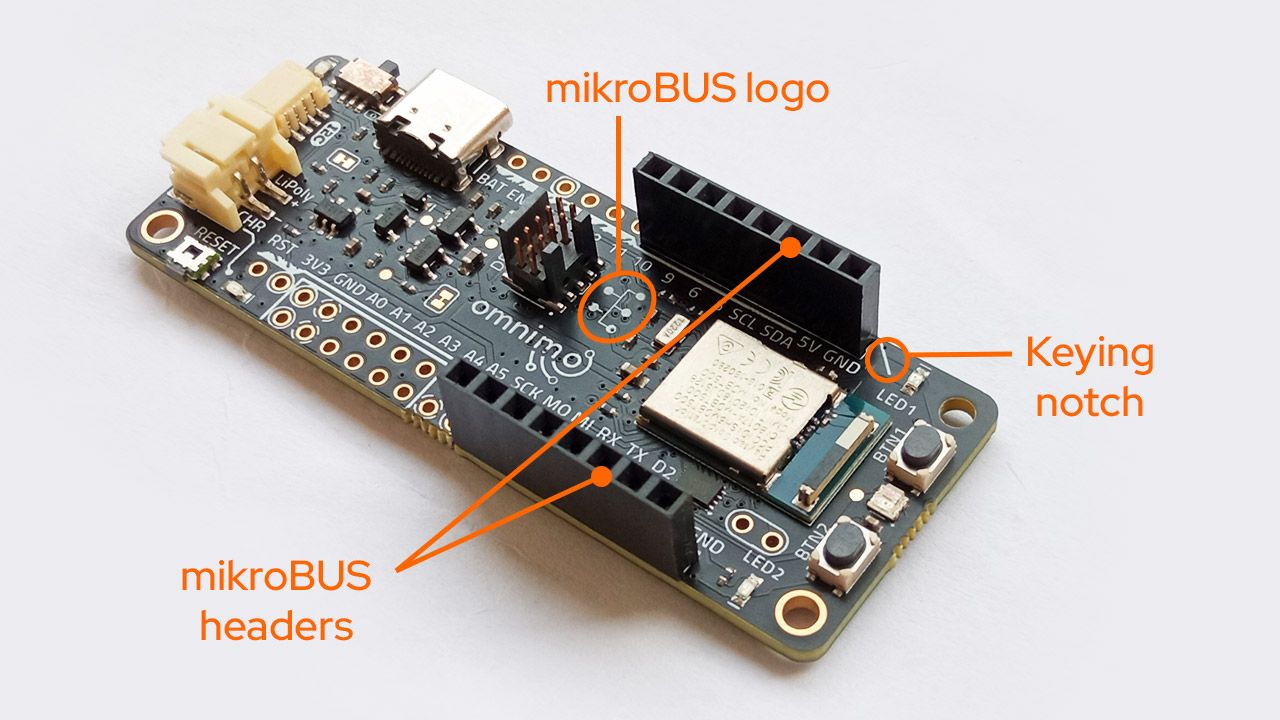
Omnimo nRF52840 supports Click add-ons through the mikroBUS socket. To use Click boards, solder two 8-pin female headers, as shown in the photo below. The Omnimo nRF52840 MB version includes these headers pre-soldered, so you can connect and use Click boards directly.
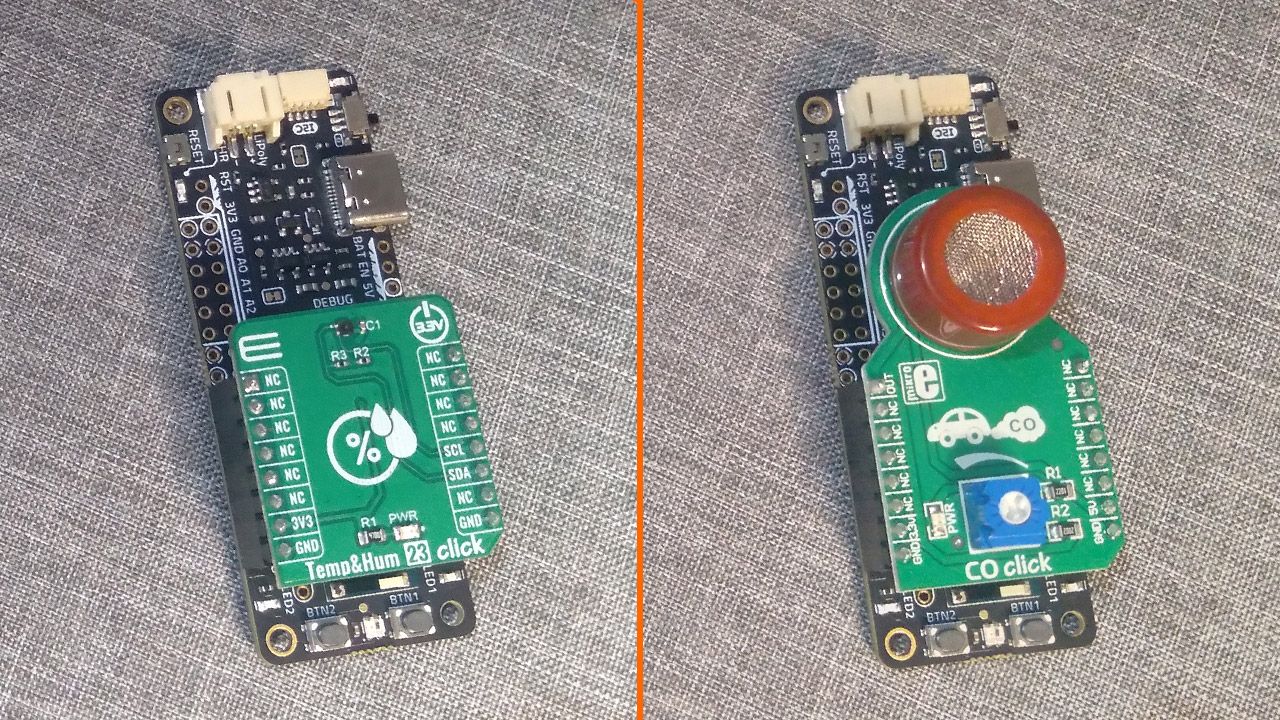
Omnimo offers the advantage of maintaining a compact size regardless of which Click boards are connected.
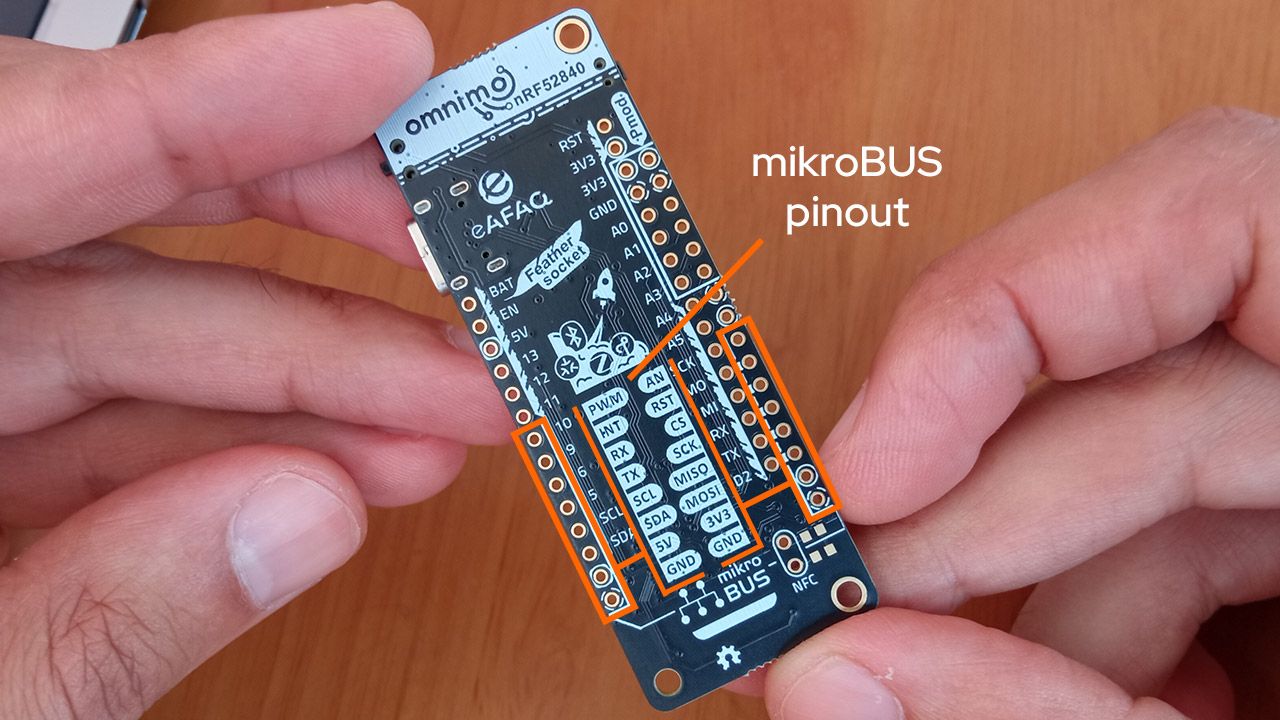
The pinout of the mikroBUS socket is shown on the back of the board:
FeatherWings
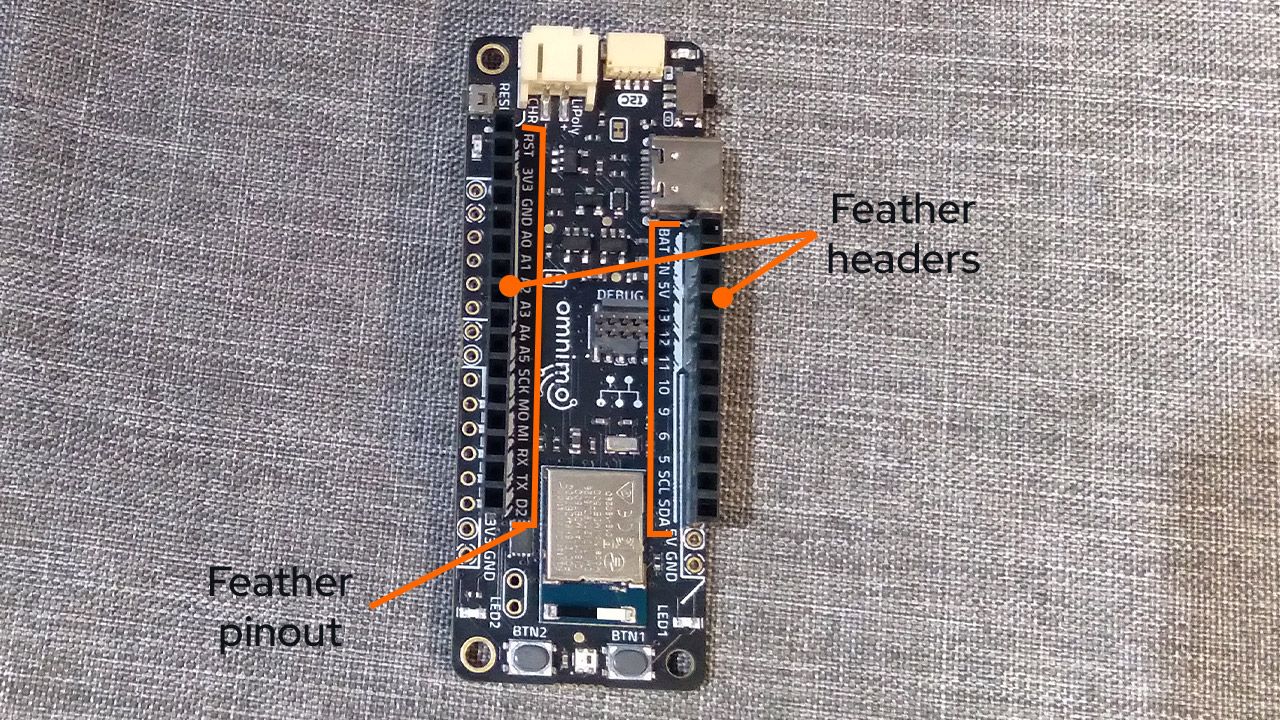
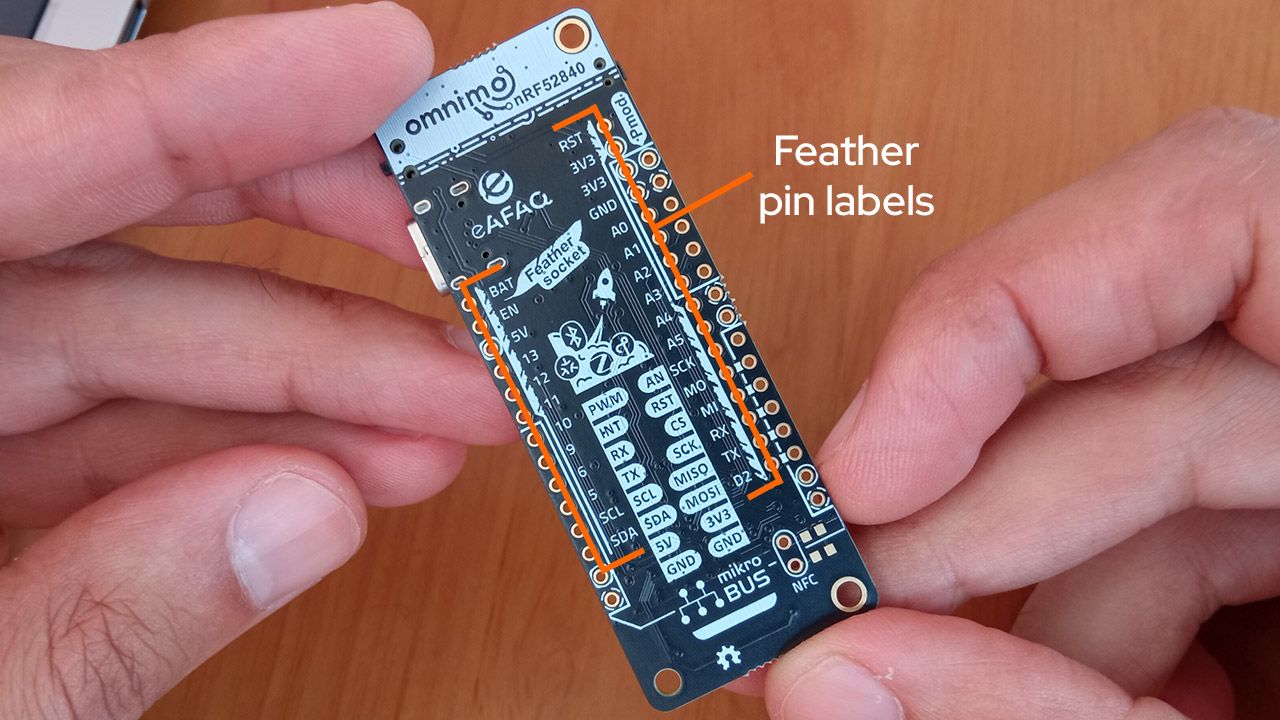
To use FeatherWings with Omnimo nRF52840, you’ll need to solder two headers as shown in the photo below. Each pin is labeled on the board, with two guide lines (styled like a feather) running along the headers to match the Adafruit Feather pinout.
The pin markings are also provided on the back of the board:
Pmods
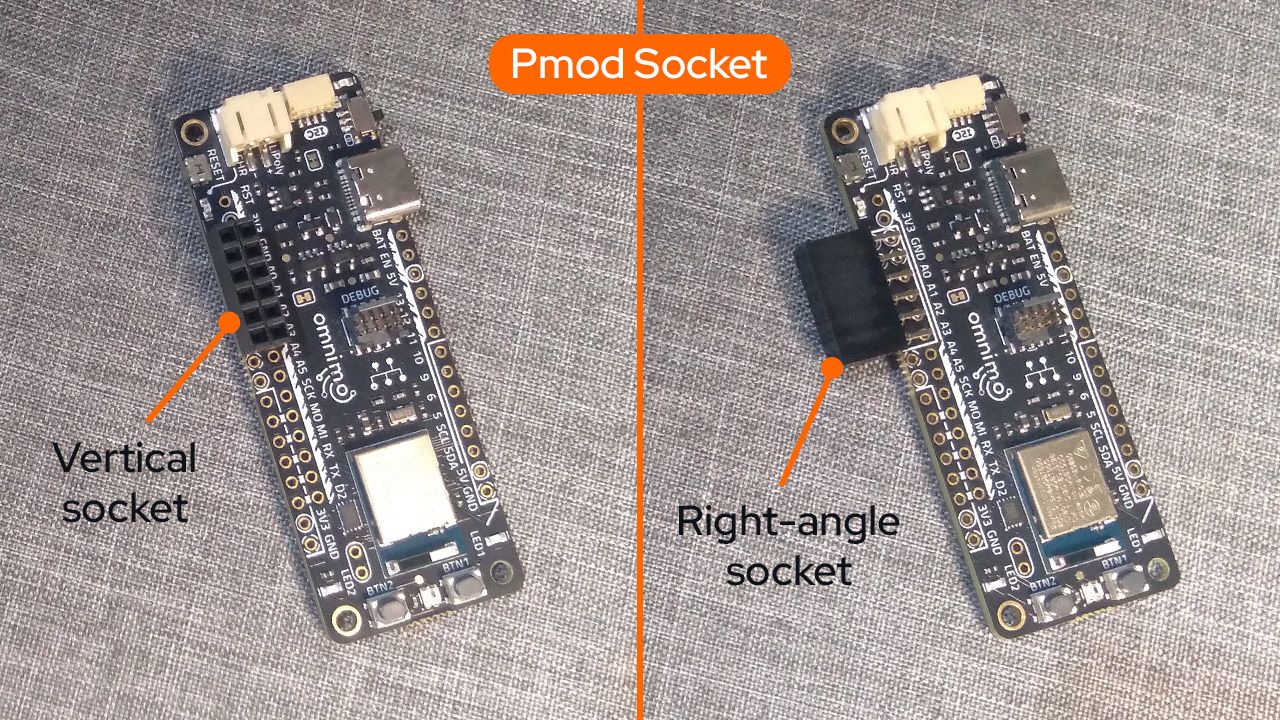
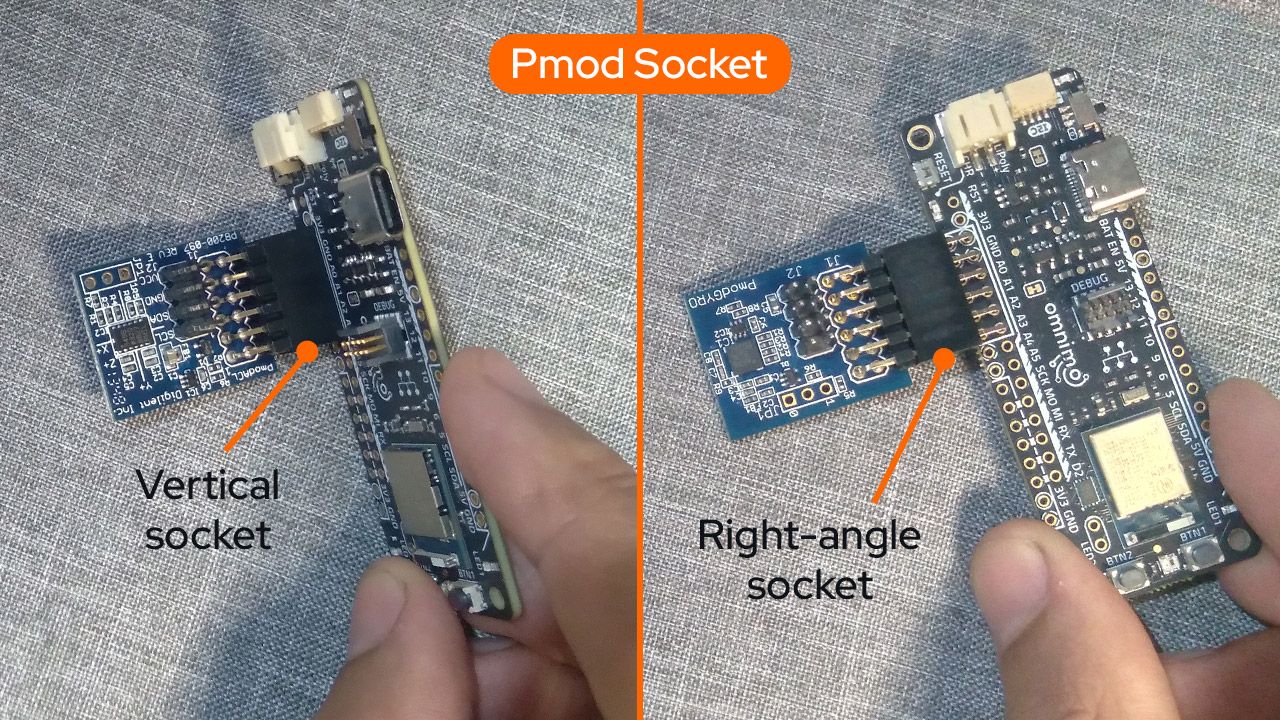
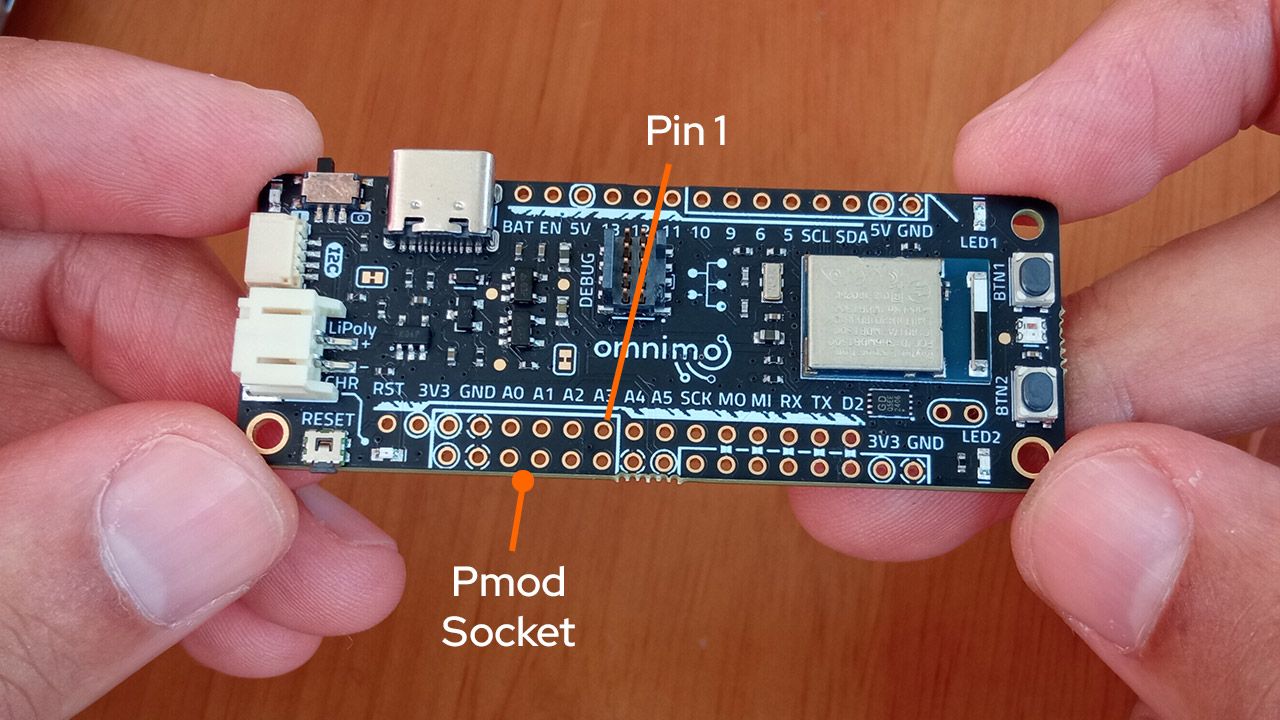
Pmod modules are supported for direct connections. This can be done in two ways: via a right-angle header or with a vertical header, as illustrated in the figures below.
Qwiic/Stemma QT Modules
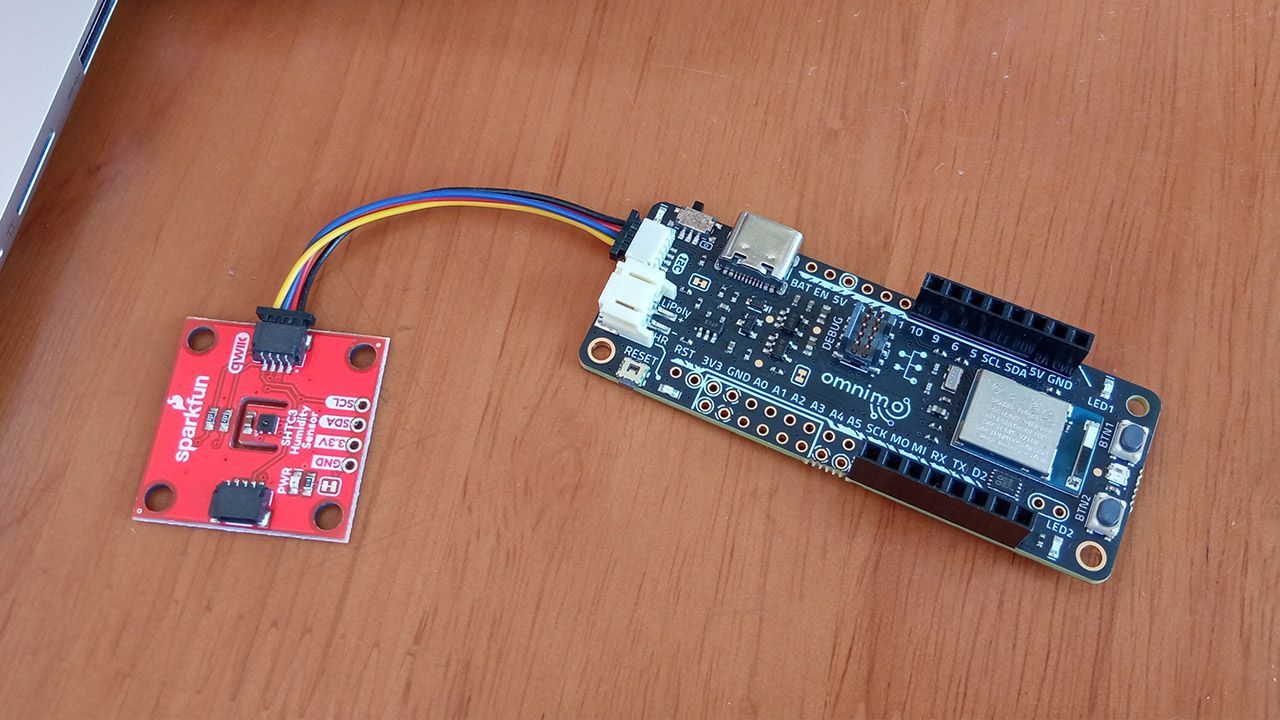
Omnimo nRF52840 also supports Qwiic modules, enabling easy I2C connectivity. Thanks to the Qwiic connector, you can quickly chain multiple sensors and peripherals without the need for soldering or complex wiring. This makes it simple to expand your project with a wide variety of Qwiic-compatible add-ons.
Grove Modules
Multiple Grove modules can be connected to the board via the Qwiic connector and by using a Qwiic-Grove adaptor cable (e.g., PRT-15109 or 4528). Because the Qwiic pins are independent of the other pins (see pinout), the Qwiic connector can be used without restrictions.

Header Configurations
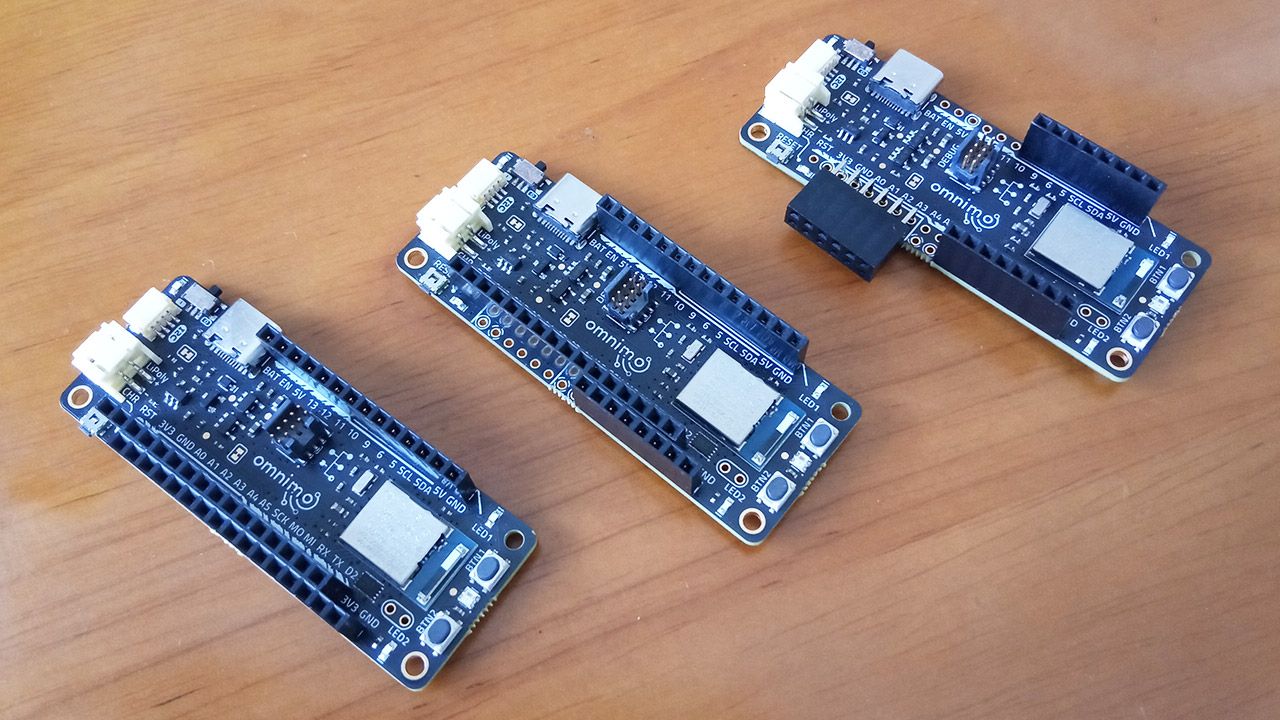
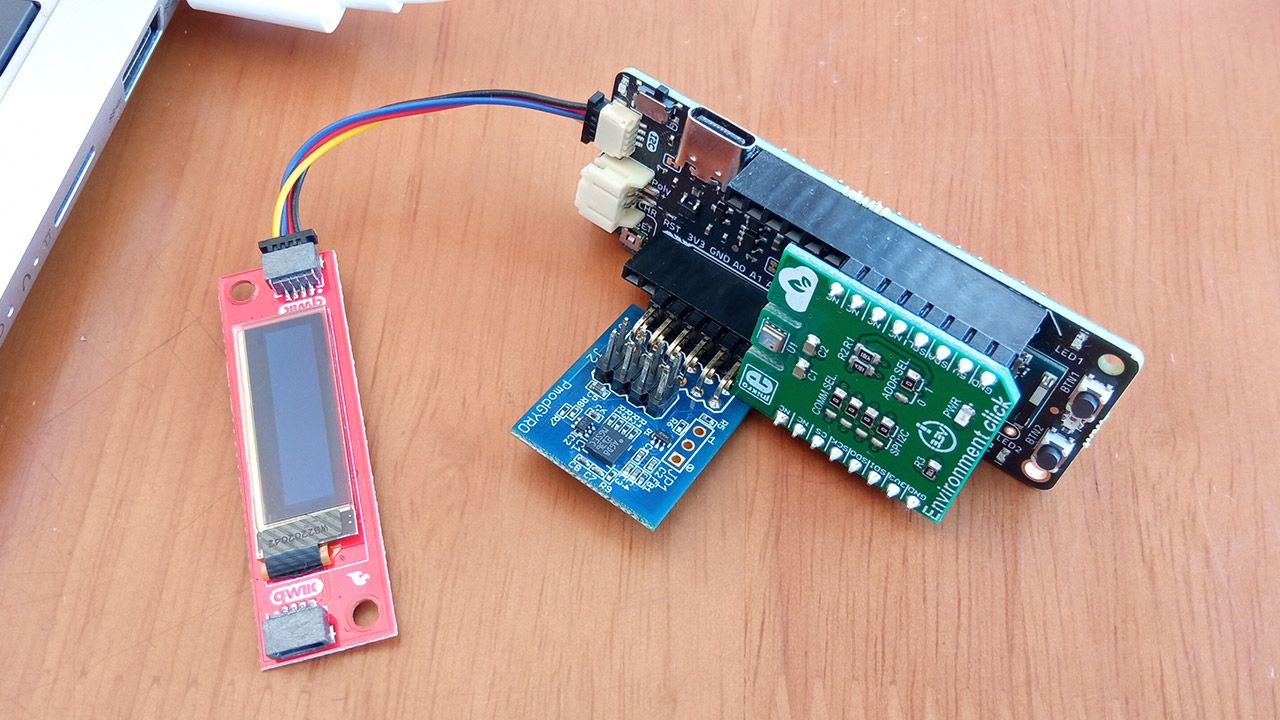
Several different header configurations are possible with female, male, or stacking headers, depending on the project’s requirements. The figures below illustrate some examples. When all pins are soldered with female headers, the board can accommodate FeatherWings, Click boards, or Pmods. In addition it is possible to connect multiple add-ons simultaneously as illustrated in the figure below.
This was just a brief guide to get you started. Stay tuned for more updates and thank you again for being part of the Omnimo nRF52840 crowdfunding journey!