We’ve now reached nearly 250% of our funding goal! That milestone reflects a great deal of support from this community: every pledge, every share, every question, and every piece of feedback helped bring us here. Thank you for backing Flow and helping move the project forward.
We were recently featured in IEEE Spectrum! Check out the article, Two E-Paper Engineers Keep Turning to the Wisdom of the Crowd.
With that momentum, we also wanted to answer one of the questions that keeps coming up: how does Flow compare with the Paper Dev Kit?
Motivation
About a year ago, we launched the Paper Dev Kit. It’s a DIY kit using an E Ink® display. Flow uses the same display technology, but the two were designed for different kinds of use.
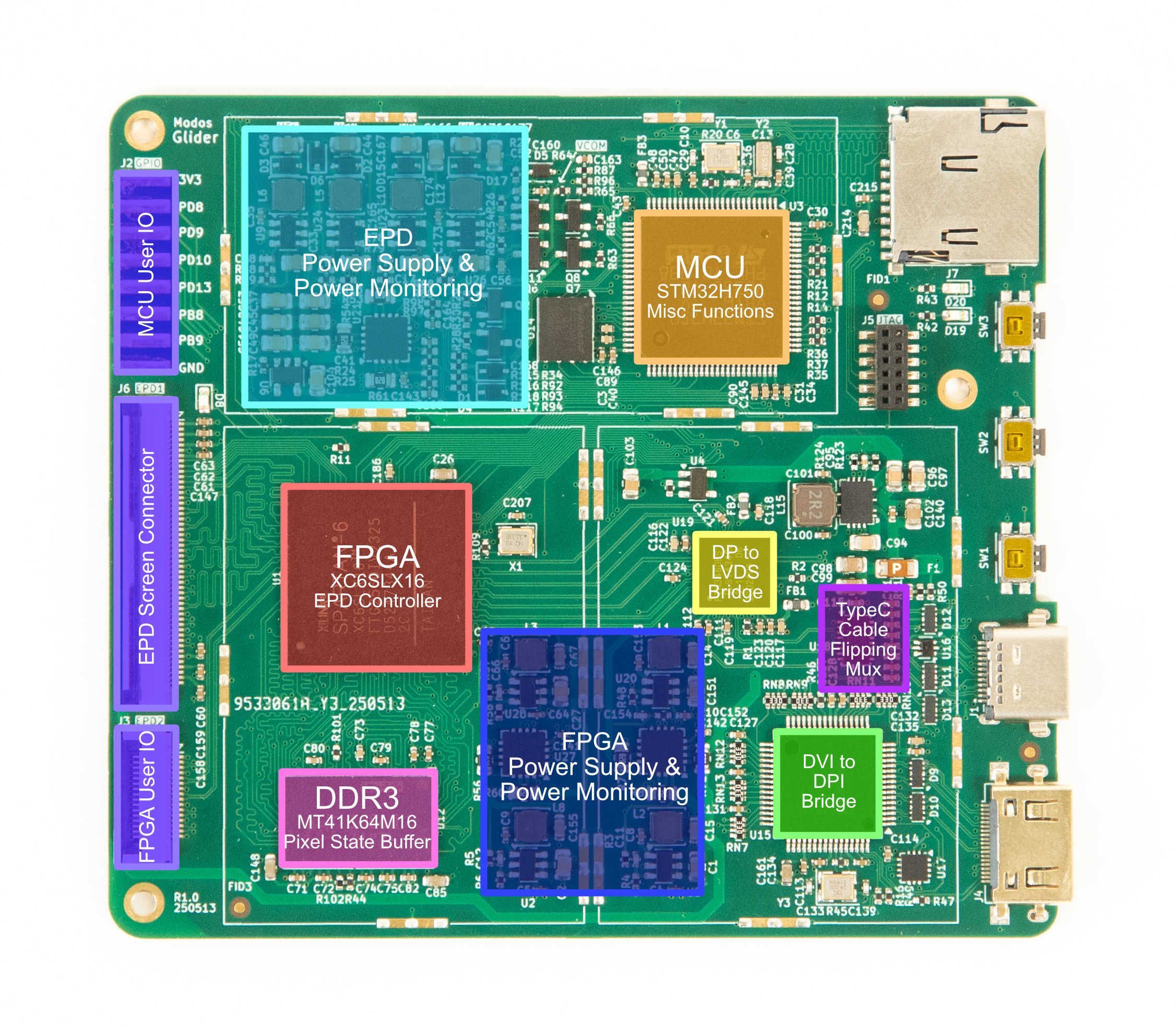
The Paper Dev Kit is made up of the following parts:
- A Glider driver board
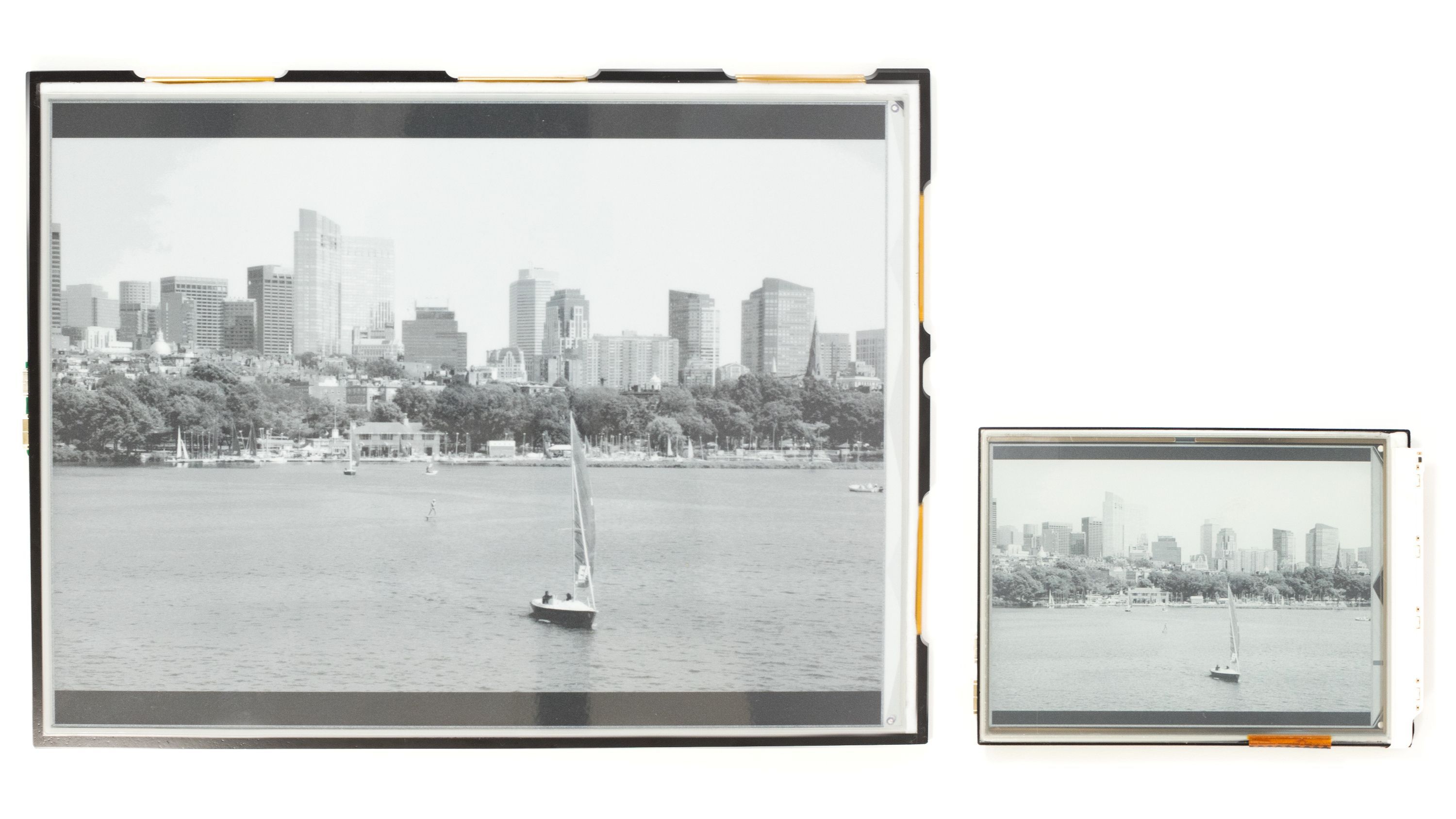
- A 6-inch or 13.3-inch E Ink display
- A mid-frame to support the display and the board
- A mega adapter board that allows the Glider to connect to many other E Ink displays
E Ink technology enables a different set of tradeoffs from a conventional backlit display. It uses much less power for static content, remains readable in bright environments, and is well suited to reading, writing, and focused work.
The goal was to let people integrate it into their own projects, such as a cyberdeck, a signage display, or a typewriter.
At the same time, we’ve also been preparing a separate product for people who simply want a monitor.
A fair question is: why not make one product that works as both a monitor and a kit? It mostly comes down to one fundamental constraint: video bandwidth.
The Dev Kit: Codename Glider
When we designed Glider, we had a few goals:
- Drive a 13.3-inch E Ink display at 60 Hz or higher
- Keep power consumption low when possible
- Keep the design open-source, with no chips requiring an NDA
- Support Raspberry Pi, which usually means HDMI/TMDS and was expected to be a common choice
- Support USB-C, which means DisplayPort
- Keep cost reasonably low
At the time, 13.3-inch E Ink displays were available in two resolutions: 1600x1200 (150 ppi) and 2200x1650 (207 ppi). Higher resolution is better, but it also pushes the bandwidth requirement up. Including blanking, the numbers looked like this:
- 1600x1200 @ 60 Hz: 133 megapixels per second
- 2200x1650 @ 60 Hz: 232 megapixels per second
To get that many pixels into the FPGA, we had a few options:
- Use a decoder IC that converts TMDS to LVDS, which can then be fed into mid-range FPGAs. This adds the cost of the converter.
- Use LVDS ISERDES on mid-range FPGAs to receive TMDS directly. The issue is that LVDS on an FPGA usually tops out at around 1-1.2 Gbps, which means about 120 megapixels per second. Another limitation is that an FPGA's ISERDES doesn't support equalization, so it can fail to decode the signal properly with longer cables. The workaround is to add a dedicated equalizer IC on the board, which adds cost as well. This method also doesn't work with DisplayPort.
- Use high-speed SERDES on high-end FPGAs to receive TMDS directly. These transceivers can reach 6 Gbps or more, which is enough for very high pixel rates. However, high-end FPGAs can be far more expensive than simply adding a converter IC, and they also tend to use more power.
Option 1 looked like the best fit. But there was a catch: most of those decoder ICs required an NDA. To keep the project open-source, we had to find parts with openly available documentation. At the time, the options we found topped out at roughly DVI 1.0 speed, or 165 megapixels per second.
That limit shaped the rest of the board. We built around a 256-pin FPGA package and a single DDR3 memory for buffering.
Flow: Codename Enchanter
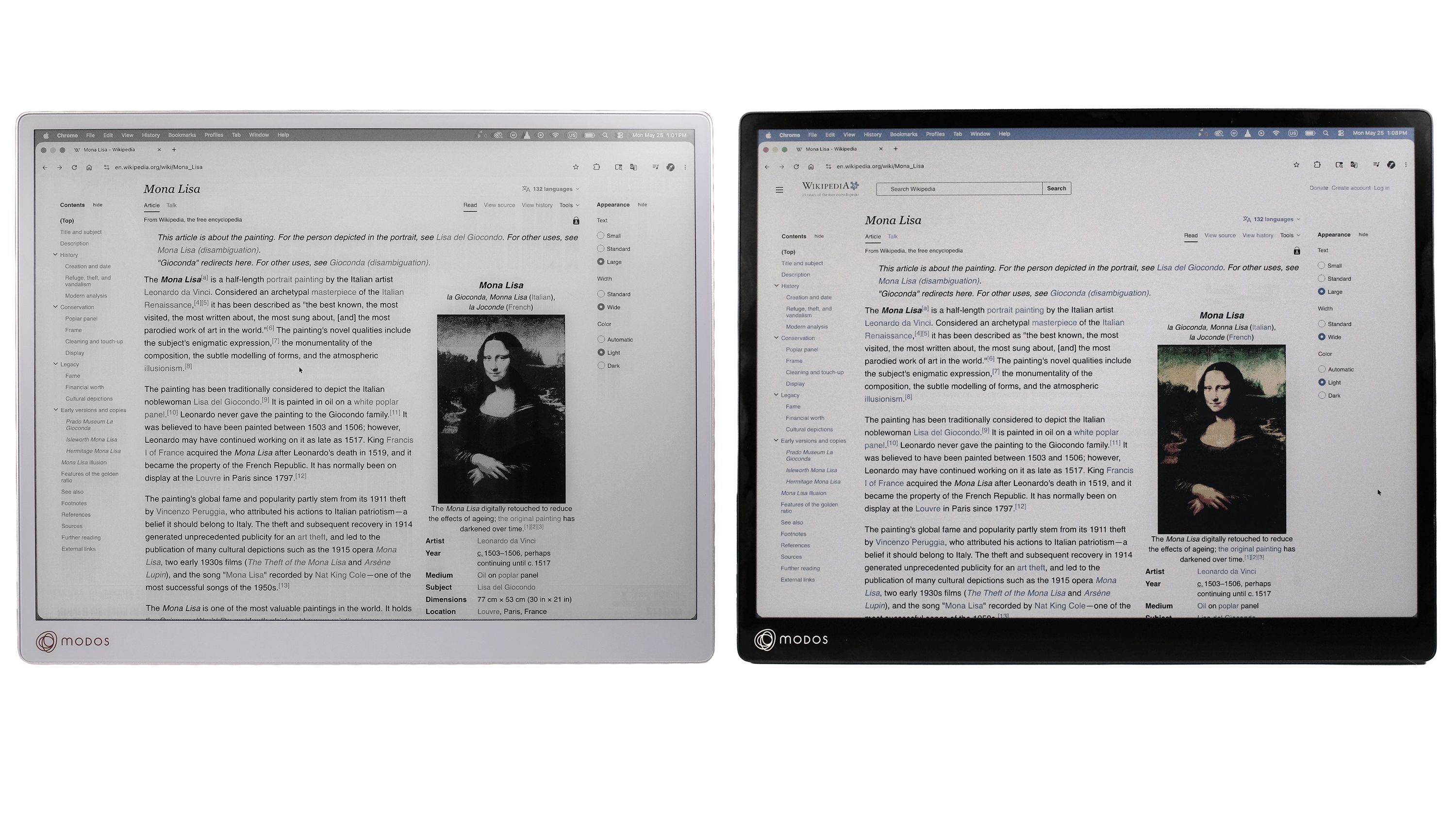
For Flow, we still wanted a high-resolution panel because image quality mattered. But getting there meant using chips that required an NDA. That was a dealbreaker for the Dev Kit, so the two products initially had to split. The Dev Kit stayed open-source, while the monitor had to be at least partially closed-source.
Once we accepted that tradeoff, the hardware direction became much clearer. We targeted 3200x2400 @ 60 Hz, which means around 533 megapixels per second. That meant changing a few things:
- In the Glider, dual-channel LVDS running at 465 Mbps per lane is enough to transfer the video feed. In the Enchanter, we use quad-channel LVDS at 930 Mbps per lane to achieve 4x the bandwidth.
- In the Glider, the required raw DDR bandwidth is 133 megapixels × 2 bytes per pixel × 2 accesses per pixel (read and write) = 533 MB/s. A single 16-bit DDR3-667 memory delivers 1333 MB/s of raw bandwidth, which is more than enough. On the Enchanter, the memory bandwidth requirement rises to 2.13 GB/s. We upgraded the memory to a 32-bit DDR3-1066 memory configuration to deliver 4.24 GB/s of raw bandwidth (~3.56 GB/s usable based on benchmarks).
- Overall, more pins are needed to interface with memory and video decoders, so we used an FPGA with a larger package.
The E Ink display used on the Enchanter also changed the design. It uses an oxide TFT backplane, which allows higher drive voltage. Its source driver ICs support multi-level voltage output, which gives finer control and faster grayscale rendition. In practice, that means more power-supply rails and higher voltage requirements.
Because Enchanter was no longer a Dev Kit, we could also integrate the display connector directly onto the board instead of using the older mainboard-plus-adapter-board construction. That made the device slimmer and gave it a more coherent layout.
Open Source, and Why Both Still Exist
Later, we replaced the chip with a newly released IC that met the requirements and came with openly available documentation. That meant Flow could become open-source as well.
So the obvious question came back: if Flow is open-source too, why keep two products?
The short answer is that the same upgrades that make Flow a better monitor also leave the Dev Kit with a few advantages of its own:
- TMDS/HDMI support: The Dev Kit was able to incorporate a TMDS decoder IC, so it can connect to devices without USB-C DisplayPort Alt Mode, including many desktop PCs, Raspberry Pi systems, and digital signage controllers.
- Lower cost: The Dev Kit uses a cheaper FPGA, one fewer DDR memory chip, a cheaper video decoder IC, fewer channels, and a lower-current power supply. All of that helps keep the cost low.
- Lower power: Higher voltages, a larger FPGA, wider memory, and a wider bus all consume more power. Under the default configuration, the Dev Kit uses only half as much power as Flow. Even when the Enchanter runs in low-power mode, it still consumes more than the Glider.
Even with its lower resolution limit, Glider can still interface with the majority of available E Ink displays. That’s a big reason it’s still a good fit for many different applications.
Conclusion
At the core-component level, Enchanter does look like an upgrade to Glider. But those upgrades come with tradeoffs. The two products are aimed at different kinds of use, and each still has strengths the other doesn’t.
Flow is the better fit if you want a dedicated monitor. The Paper Dev Kit still makes sense if you want flexibility, broader display compatibility, HDMI/TMDS support, lower cost, or lower power. It isn’t a case of one replacing the other. It’s really a matter of choosing the one that fits your needs best.