Project update 2 of 2
Never a Loss for Words: Search, Highlights, and Dictionaries
by Joey CastilloOne of the first works I read on an early Open Book was the short story "Brokeback Mountain" by Annie Proulx, cut-and-pasted from the New Yorker’s website into a plain text file. If you haven’t read the story, do yourself a favor: click that link and read it now; it’s a spare, devastating masterpiece. Seriously. I’ll wait.
Anyway: I bring it up because there’s a line in the work that even at the time made me feel the need for the features I plan to talk about today. Several months into that first summer herding sheep on Brokeback, an early snow forces Jack, Ennis and the flock to pack it in. On the way down, Proulx describes the scene:
The mountain boiled with demonic energy, glazed with flickering broken-cloud light; the wind combed the grass and drew from the damaged krummholz and slit rock a bestial drone. As they descended the slope Ennis felt he was in a slow-motion, but headlong, irreversible fall.
When I first read the story on a 2020-era Open Book prototype, there were three things I wanted to do with this passage:
- I wanted to bookmark the page, to be able to flip back to this moment.
- I wanted to highlight that first sentence, because WOW.
- I wanted to look up the word 'krummholz', because I'm not too proud to admit: I'd never come across that word.
Of course, that classic Open Book couldn’t do any of those things. But Open Book Touch can.
Last week I introduced you to the reading experience. This week is about the reading reflexes, all the things your hands already know how to do with a book and that Open Book Touch implements: mark your place or mark a passage, consult the table of contents, flip ahead and back again, skim for a word or a passage, and of course, look things up in the dictionary.
The Right Dictionary
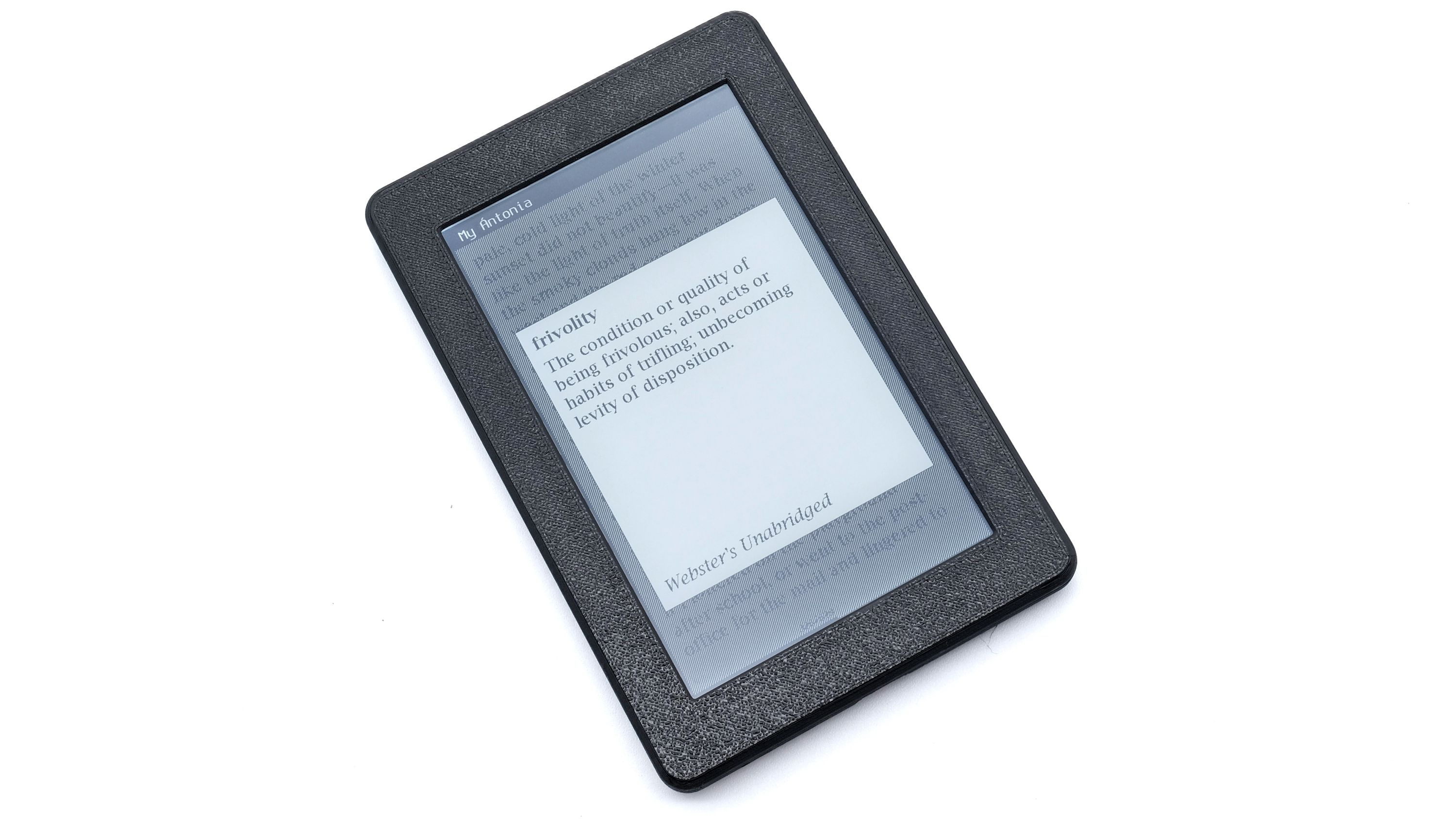
We might as well start at the end of that list, because "krummholz" is still hanging in the air. On Open Book Touch, when a word like that stops you mid-sentence, you can simply press and hold it. The title bar gives way to two additional buttons: "Highlight" and "Define". Tap "Define", and a definition appears in a popover right there on the page. Dismiss it, and you’re back on the mountain, exactly where you left off. Six years later, I finally got to look that word up the way I always wanted to: without putting down the book.
Now: it matters, when you ask for the meaning of a word, which dictionary answers the call. When Annie Proulx was writing The Shipping News, she literally fell asleep reading the Dictionary of Newfoundland English. Perhaps not the right dictionary for Open Book, but a case for a dictionary that doesn’t suck.
In his 2014 essay "You’re probably using the wrong dictionary", James Somers describes how modern dictionaries went gray and bureaucratic, engineered rather than written, while perhaps the greatest one — Webster’s 1913 unabridged — sits in the public domain, full of definitions that read like literature. So Open Book Touch comes with Webster’s 1913 dictionary, along with Wiktionary to fill in the gaps (including, ironically, "krummholz", which Webster hadn’t gotten to in 1913).
The whole dictionary lives on the microSD card, fully offline in its own SQLite database, filled with words and a map of inflections (press and hold "descended", and it knows the word you’re after is descend). Like the Lucida typefaces that Sun opened up in 1989, both of these dictionaries represent the commons giving back: one public-domain and one Creative Commons dictionary, free words for a liberated book.
One note: the dictionary is English-only right now. The plumbing for other languages is all there, and I’ve identified candidate dictionaries for French and Spanish, but that’s not tested yet. It’s on the list!
Marginalia
With the word now known, that leaves bookmarking the page as the next item, and on Open Book Touch, it’s easy: you tap the top-right corner, and the corner folds down. It’s a proper dog-ear, right there on the screen. I’ll admit to a small stubbornness here: I call the feature a "bookmark", but the visual affordance is a dog-eared page. Forgive me; these are technically two different things you can do to a paper book, but I sort of unified them into one visual. Besides, the most common function of a paper bookmark — keeping your place in the book right now — is baked into the UI; your spot in the book is always saved.
Anyway. As for the other thing I wanted to do — highlight the passage — again, it’s simple. You press and hold the first word, drag to where the passage ends, and the highlight follows your finger in real time. It’s the same motion your hand makes with a highlighter. When you release your finger, the toolbar displays "Highlight", and you tap that button to finalize.
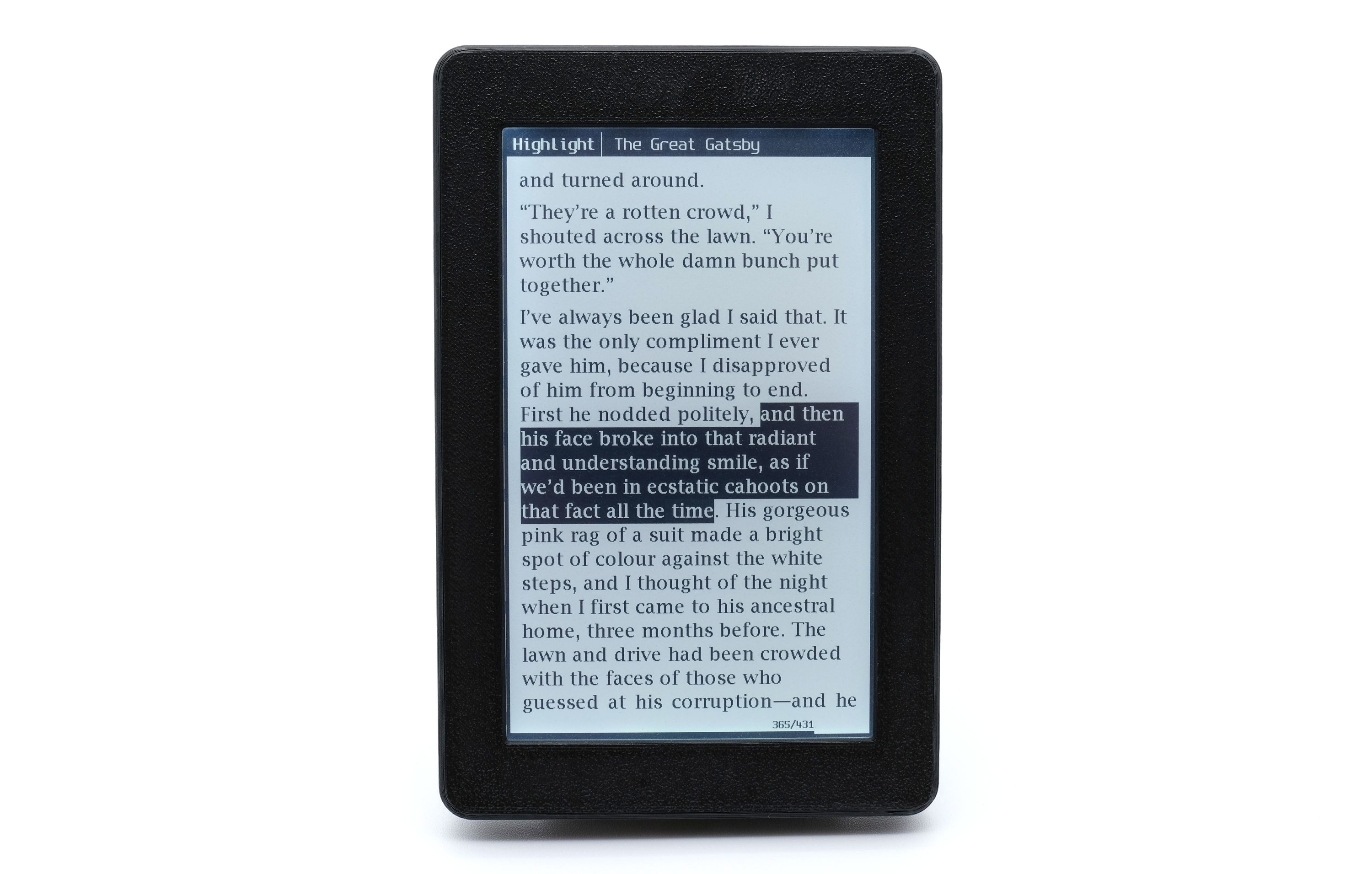
One other detail that makes good on a parenthetical from the campaign page: every bookmark and every highlight is timestamped, and that’s why an e-book reader has a quartz crystal in it. The "Highlights and Bookmarks" view displays all your annotations, grouped by book and sorted by timestamp, which turns the marginalia into a journal: not just which sentence stopped you cold, but the night it did. You can export all your bookmarks or highlights in a book to a plain text file on the SD card, or browse to it in a dedicated section on the local web UI over Wi-Fi.
Under the hood, it’s all entries in a SQLite database on the microSD card in your pocket. No cloud, and therefore no discontinued cloud service to worry about.
Looking for Something
Now for the thing paper can’t do.
Open your book’s menu, tap the search tab, and type a word (on, yes, the on-screen keyboard). Tap "Go", and Open Book Touch finds every occurrence of that word in the whole book. Tap any result and you jump straight to that page. In Leaves of Grass, Whitman warned he was large. He told us he contained multitudes.
The search interface can verify that.
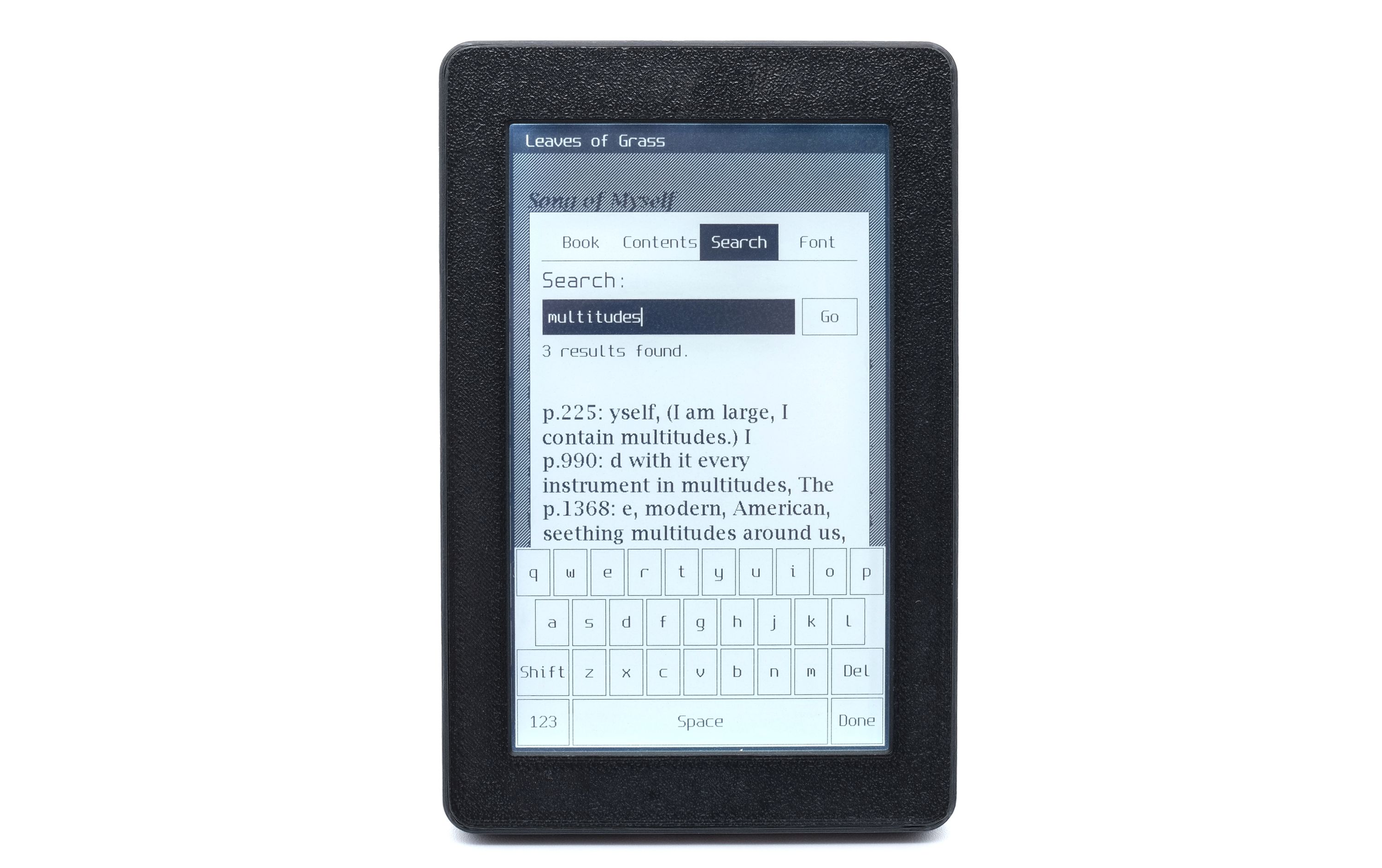
For the moment, here’s how it works: there’s no cloud (duh) and also no search index. When you tap "Go", the device streams your entire book off the SD card and processes it all in a few seconds. Very long text files take a bit longer; EPUBs a bit longer still (they have to be unpacked as they’re read). Point is, it works, and we haven’t even optimized this code path yet.
There and Back Again
There’s one more reflex your hands know: holding your place in a book with a thumb while you flip ahead, whether to check the table of contents, to peek at how far the chapter runs, or to chase a half-remembered scene. Open Book Touch keeps that thumb in the pages for you. For example: a book on Open Book Touch includes the full table of contents; tap a chapter and you’re there.
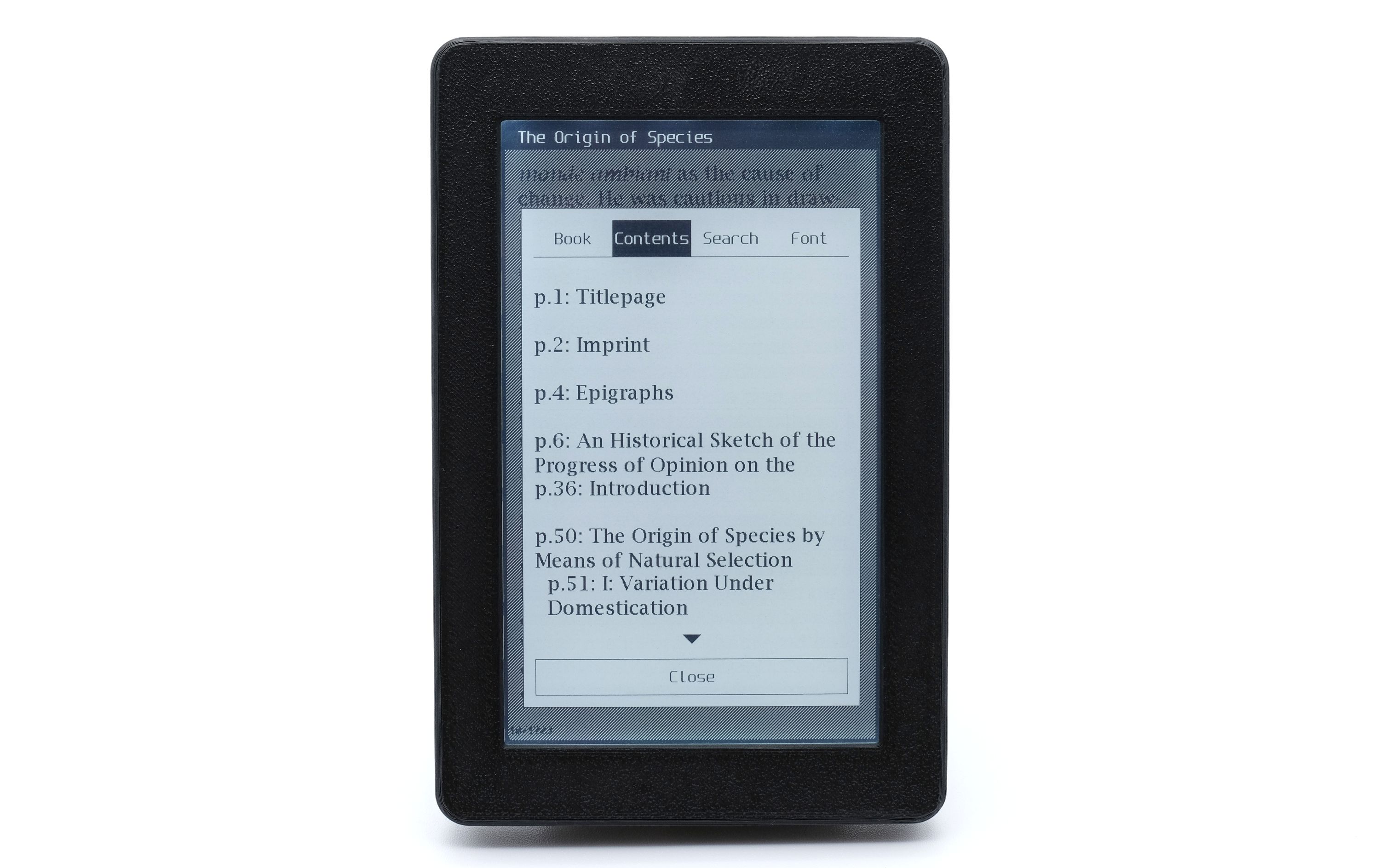
But there’s a subtlety: whenever you jump away from your current page (to another chapter, say, or a search result), the title bar becomes a little toolbar. It reads "Seeking…", and it offers you two buttons: Return, which snaps you back to the page you came from, and Stay Here, which lets go and makes this your new spot. Flip ahead as far as you like; your place is held until you decide otherwise.
Even if you lock the device or quit to the home screen mid-seek, your originally held place is still there when you come back.
Judging by Its Cover
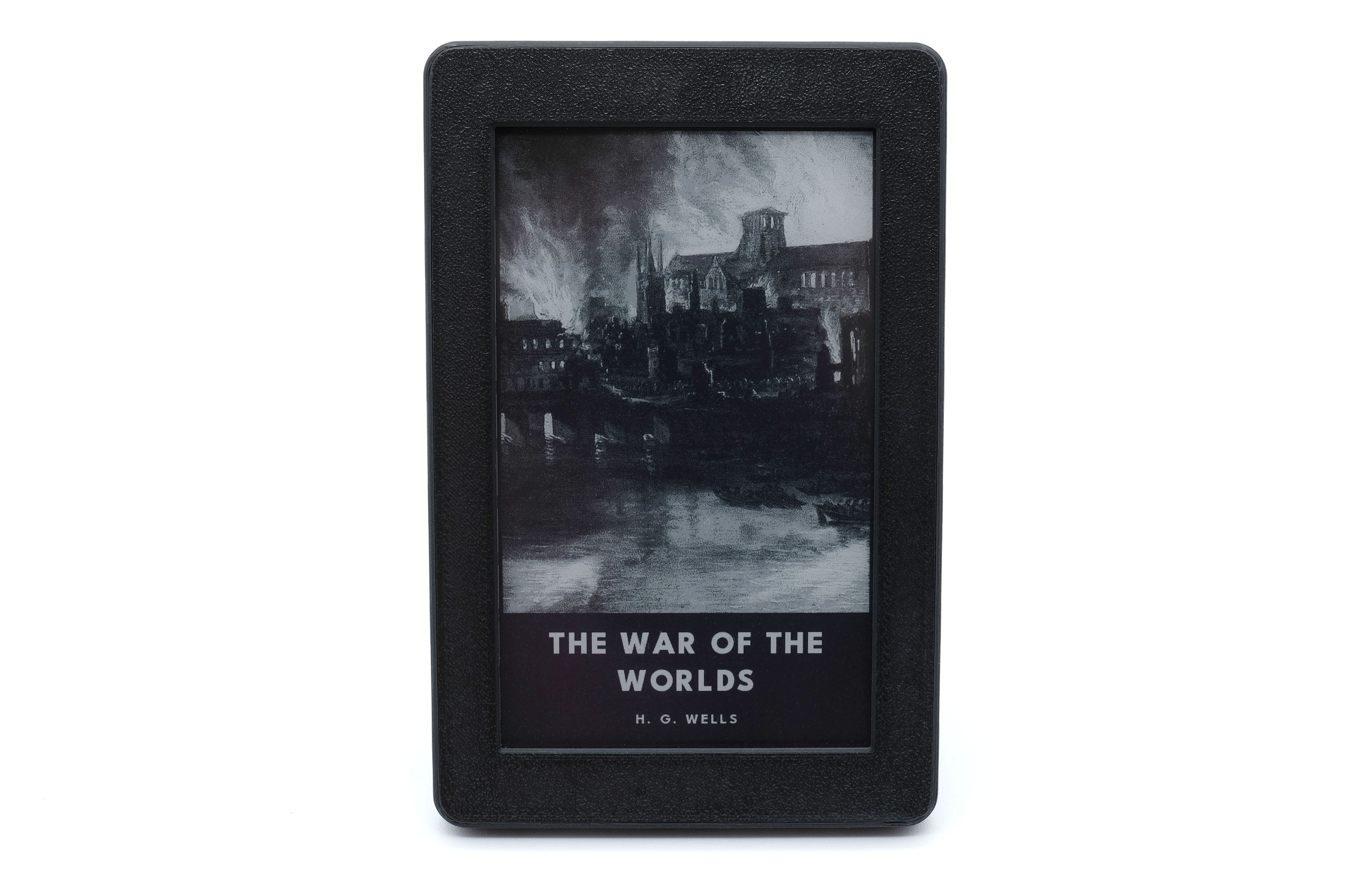
One more small delight before I go. When you lock the device, the cover of your current book renders on the lock screen in the richer 2-bit grayscale mode. It’s slower to draw, but a lock screen has all the time in the world to sit there looking pretty. And if you’d rather look at your dog, your kid, or a favorite painting, you can drop an image named lockscreen.jpg in the root of the microSD card and it’s yours, no settings screen required.
Closing Words
This is the stuff that makes Open Book Touch an e-book reader, and not just a very nice e-paper dev board (though it’s that too, if you want it to be). You might have gotten a sense for this already, but I’m making this object because I love reading, and I want you to love it too. I’ll be honest, in the age of infinite scroll, I went through a couple of years where I barely read books at all; I needed paper books and distraction-free devices to find space to let my mind take in a book. If that sounds like your kind of need too, pick up Open Book Touch, and find a book you can’t put down.
And if that New Yorker link from earlier was your own return to the joy of slower words: welcome back. Wasn’t that something?
— Joey